Barchart Futures: Read Data & Automate Strategies
Barchart Futures is a widely referenced destination for futures market data — quotes, charts, technical indicators, and proprietary trading signals across dozens of markets. But reading that data is only half the job. This guide explains exactly what you're looking at on Barchart, how to decode futures symbols and quote pages, and — critically — how to take those signals and build automated, no-code trading strategies that act on them without writing a single line of code.
What Are Futures Contracts? The Foundation
A futures contract is a legally binding agreement to buy or sell an underlying asset — a commodity, equity index, currency, or interest rate instrument — at a predetermined price on a specific future date. Unlike spot markets where you exchange an asset immediately, futures lock in terms today for settlement later.
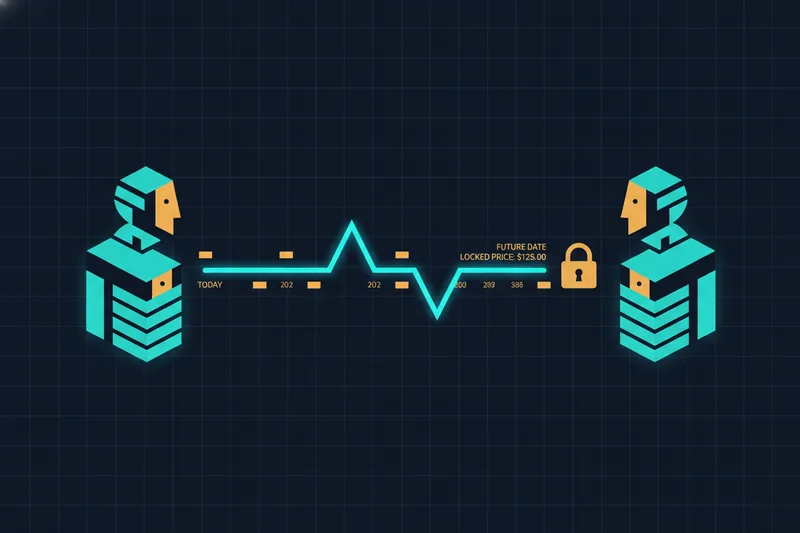
Traders use futures for two primary reasons. Hedgers — farmers, airlines, manufacturers — use them to lock in prices and reduce exposure to adverse price moves in raw materials or currencies. Speculators use them to profit from anticipated price direction without ever intending to take physical delivery.
Futures market data functions as a leading indicator for broader markets. Because futures trade nearly 24 hours a day and reflect forward-looking expectations, price action in equity index futures or crude oil futures often signals where spot markets will open before the regular session begins. That's why traders monitor this data so closely.
What Is Barchart Futures?
Barchart.com is a financial data platform that provides real-time futures quotes, historical price data, charts, and analytical tools across a wide range of futures markets. It's a commonly used reference for traders who need fast access to futures market data.
Free vs. Paid Access on Barchart
Barchart offers tiered access, with a free level providing basic data and charting capabilities. Higher-tier plans generally unlock additional features such as streaming quotes, more advanced tools, and data export options — check Barchart's current pricing page for the exact breakdown, as plan details change over time. A futures API is also available for developers and platforms that need to pull data programmatically into external systems.
Barchart Futures App
Barchart offers a mobile app for monitoring quotes and checking signals on the go. For serious strategy work, the full desktop interface — where chart tools and data tables are easier to navigate — tends to be more practical.
Futures Market Categories on Barchart
Barchart covers the major futures market segments traders care about most.
Equity Index Futures
These track major stock indices. The most-watched are the E-mini S&P 500, E-mini Nasdaq-100, and E-mini Dow. Equity index futures are heavily used by traders who want leveraged exposure to broad market direction.
Commodity Futures: Grains, Livestock, and Energy
Commodity futures cover agricultural products (corn, soybeans, wheat), livestock (live cattle, lean hogs), and softs (coffee, sugar, cotton). Energy futures — crude oil and natural gas — are among the most liquid and volatile markets on the board.
Metals and Currency Futures
Metals futures include gold and silver, both widely traded as inflation hedges and safe-haven assets. Currency futures cover major pairs (euro, yen, pound), and interest rate futures track instruments like Treasury notes. Each category has its own volatility profile and trading hours — factors that matter when you're building automated rules.
How to Read Barchart Futures Symbols
Futures symbols follow a structured format combining a root symbol, a month code, and a year. Once you understand the pattern, navigating any futures market becomes straightforward.
A symbol like ESZ24 breaks down as:
- ES — the root symbol identifying the underlying instrument (in this case, the E-mini S&P 500)
- Z — a letter code representing the contract month
- 24 — the last two digits of the contract year
Month codes are standardized across most U.S. futures exchanges, with each month assigned a specific letter — though the full mapping is not sequential through the alphabet and skips several letters. Barchart's own symbol guide is the authoritative reference for confirming the exact codes used on their platform.
Continuous contract symbols stitch together successive contract months into a single unbroken price series. These are useful for charting long-term trends without gaps caused by contract rollovers. Barchart uses its own notation for continuous contracts — check the platform's documentation for the current format.
Futures contracts also differ by expiration. The contract with the nearest expiration date — commonly called the front-month contract — tends to attract the most trading activity, though this varies by market. Contracts expiring further out are called back-month contracts and are often used to analyze the futures curve.
Contango and backwardation describe the shape of the futures price curve across contract months. These conditions carry implications for traders holding positions across rollovers, and comparing prices across contract months on the same underlying makes them visible on Barchart's charts.
To find a symbol on Barchart, use the search bar at the top of the page and type either the root symbol or the underlying asset name.
How to Read Barchart Futures Quotes and Charts
Key Fields on a Futures Quote Page
A Barchart futures quote page surfaces several critical data points:
- Last price — the most recent traded price
- Bid / Ask — the current best buy and sell offers; the spread between them reflects liquidity
- Settlement — the official daily closing price established by the exchange, used as the reference for margin calculations
- Open interest — the total number of outstanding contracts not yet settled; changes in open interest alongside price moves can help confirm or question trend strength
Reading Futures Charts: Price, Volume, and Open Interest
OHLCV data — the open, high, low, close, and volume figures for each time period — is the raw material of every futures chart. Candlestick and bar charts display this data visually: each candle or bar represents a time period and shows where price opened, how far it moved in each direction, and where it closed.
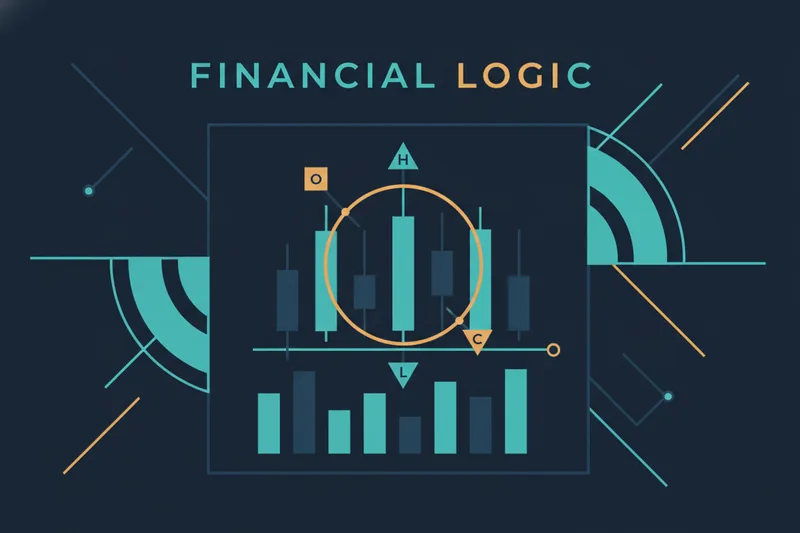
Volume tells you how many contracts changed hands in a given period. Open interest tells you how many contracts remain open. Together, they help distinguish genuine trend moves from low-conviction noise. A price breakout accompanied by rising volume and expanding open interest generally carries more weight than one on thin activity.
Technical Indicators on Barchart Charts
Barchart's chart tool supports a standard library of technical indicators — moving averages, RSI, MACD, Bollinger Bands, stochastic oscillators, and more. Timeframe selection (intraday, daily, weekly) significantly affects how signals read: an RSI crossover on a 5-minute chart carries different weight than the same crossover on a daily chart.
Barchart Futures Trading Signals and Opinions
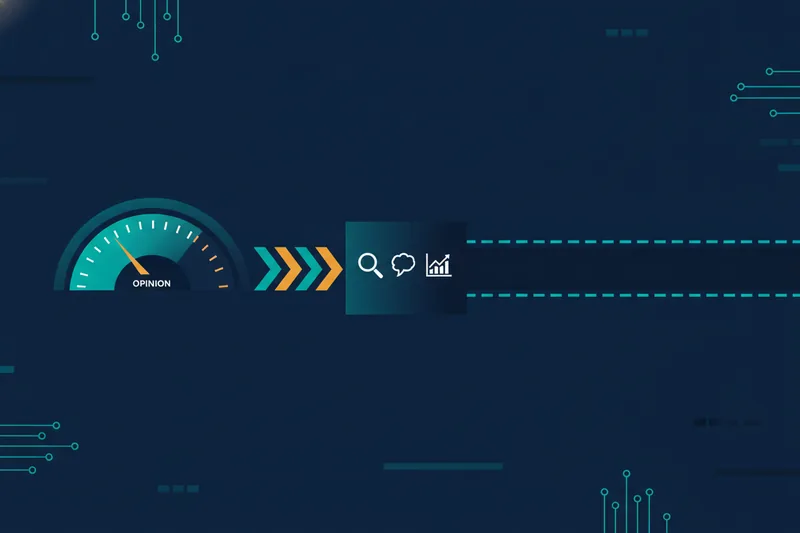
Barchart Opinions is a proprietary feature that aggregates readings from multiple technical indicators into a single directional score — typically expressed as a percentage leaning toward Buy, Sell, or Hold — across short-term, medium-term, and long-term timeframes.
Trading signals here are indicator-based scores, not executable orders. Barchart calculates how many of its tracked indicators are pointing bullish or bearish for a given contract, then surfaces that as a composite opinion. It's a useful at-a-glance summary, particularly for traders monitoring many markets simultaneously.
The limitation is significant: Barchart Opinions are read-only. There is no mechanism on Barchart to say "when the 14-day Opinion crosses 80% Buy, enter a long position with a stop at X." The signal exists; the automated response to it does not. That gap is where most traders get stuck.
From Reading Futures Data to Acting on It: The Missing Layer
Why Reading Signals Is Not Enough
Consistently profitable trading requires consistent execution. Reading a Barchart Opinion, deciding to act, opening your broker platform, and placing a manual order introduces delay, emotion, and inconsistency. The moment you're away from the screen, the signal passes without action. Rules-based, automated execution solves this — but Barchart isn't built to provide it.
Building a Rules-Based Futures Strategy Without Code
A no-code strategy builder lets you define trading logic visually — conditions, thresholds, and actions — without writing scripts or configuring parameter-buried bots. The core concept is a visual deal map: a structured representation of your strategy's stages, from entry conditions through averaging orders, take-profit exits, and stop-losses, laid out so you can see how each piece connects.
In practice, you translate what you've learned from Barchart into concrete rules: "Enter long when RSI(14) crosses above 30 and price is above the 50-period moving average." Those conditions become inputs in the strategy builder. The platform then monitors the market and executes when conditions are met — no manual intervention required.
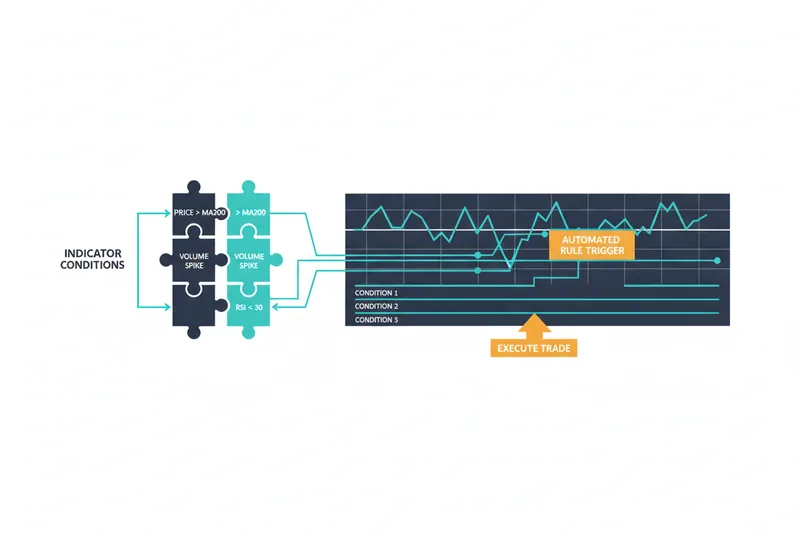
Quberas is built specifically for this workflow. Its puzzle-style condition builder supports nested logic across price, indicators, volume, and crossovers — the same indicator types you'd read on Barchart — and its visual debugger highlights the exact chart zones where each condition triggered, so you can see precisely why a trade fired.
Backtesting Your Futures Logic Before Going Live
Backtesting runs your defined rules against historical OHLCV data to see how the strategy would have performed. Before risking capital, you can identify whether your entry conditions generate too many false signals, whether your stop-loss is too tight, and whether the strategy holds up across different market conditions. This is a non-negotiable step between "reading signals" and "trading live."
Barchart Alternatives for Futures Strategy Building
Barchart excels as a data and charting reference. It is not designed for strategy construction or automated execution — and that's fine, because those are different jobs.
Platforms designed for strategy building range from code-based tools (Python libraries, Pine Script on TradingView, custom API integrations) that require programming knowledge, to no-code tools that let traders define logic visually, to hybrid approaches in between. Code-heavy tools offer maximum flexibility but create a steep barrier for traders who aren't developers.
API access — available on Barchart's higher tiers — serves as a bridge for developers who want to pull Barchart data into external execution platforms programmatically. For traders who don't want to write those integrations, the practical workflow is simpler: use Barchart to develop data literacy and identify which indicators and signals matter for your markets, then replicate that logic as conditions in a visual strategy builder.
Quberas sits in the no-code execution layer. Traders use Barchart to understand their markets and validate their signal intuitions, then build the automated rules in Quberas — seeing every trigger on the chart and backtesting against historical data before going live.
Frequently Asked Questions About Barchart Futures
Is Barchart futures data free? Barchart offers a free access level with basic data and charting. More advanced features, including streaming quotes, are available on paid plans — check Barchart's site for current tier details.
Does Barchart offer live real-time futures quotes? Real-time quotes are available on paid plans. Free users receive data with a delay, with the exact lag depending on the exchange and plan.
What is the Barchart futures app? Barchart offers a mobile app that provides access to quotes, charts, and Opinions signals — useful for monitoring markets when you're away from your desk.
How do I find futures symbols on Barchart? Use the search bar on Barchart.com and enter either the root symbol or the asset name. Barchart will surface matching contracts including front-month and continuous contract options.
Can I trade directly from Barchart? Barchart is a data and analytics platform — it surfaces quotes, charts, and signals but does not function as a brokerage or order-execution venue. You need a separate broker or trading platform to act on what you read there.
What is the difference between Barchart and a trading platform? Barchart provides market data, charts, and signals — it's the information layer. A trading platform or strategy builder is the execution layer where you define rules, automate responses to signals, and place orders. Most serious traders use both: one for data, one for action.
Ready to move from reading futures data to acting on it automatically? Try Quberas — build your first no-code futures strategy, see every rule trigger on the chart, and backtest it before going live.