Best Trading Platform for 2026: Automate Without Code
Choosing the best trading platform in 2026 depends entirely on what you're trying to do — and most platform guides miss the point for a growing segment of traders. If you want to execute trades manually through a broker interface, dozens of solid options exist. But if you want to build, test, and automate your own strategy without writing a line of code, the landscape looks very different. This guide covers both worlds: the established platforms for traditional and crypto trading, and the no-code algorithmic tools that let you turn your trading logic into a running bot — visually, transparently, and without a programming degree.
What Is a Trading Platform?
A trading platform is software that connects traders to financial markets, enabling them to place orders, analyze price data, and manage positions. At minimum, a platform handles order execution — routing your buy and sell instructions to a broker or exchange — and displays price charts with technical indicators like moving averages, RSI, or MACD.
Most platforms also provide broker integration, meaning they connect directly to a brokerage account where your capital is held. Some are built by brokers themselves; others are independent tools that plug into multiple brokers or exchanges.
The distinction that matters most for 2026 is the one between manual trading and automated trading. Manual platforms are built for human decision-making: you watch the chart, spot a signal, and click to trade. Automated platforms execute trades based on predefined rules — no clicking required. And within automated platforms, there's a further split between tools that require you to write code and tools that let you build logic visually. That split is what this guide is really about.
Types of Trading Platforms
Broker and Execution Platforms
These are the platforms most guides lead with. E*TRADE, Charles Schwab, and Fidelity are the standard examples for US stock and options traders. AvaTrade and similar multi-asset brokers serve forex and CFD traders. These platforms are optimized for chart-based trading — you get a price chart, a set of indicators, and a one-click order panel.
Web-based platforms run in your browser with no installation; desktop platforms like thinkorswim (Schwab) offer deeper charting and scanning tools; mobile trading apps let you monitor and execute on the go. None of these are designed to help you build or automate a strategy — they assume you already know what you want to do and just need to execute it.
Code-Based Algorithmic Platforms
TradingView Pine Script and MetaTrader MQL are the two dominant names here. TradingView is a charting and social platform with a scripting language (Pine Script) that lets you write custom indicators and strategy scripts. MetaTrader 4 and 5 use MQL (MetaQuotes Language), a C-like programming language for building automated trading bots called Expert Advisors.
Both are powerful. Both require you to write and debug code. If you're not a programmer, the learning curve is steep — and even experienced coders spend significant time translating trading ideas into working scripts.
Crypto trading platforms like Binance, Coinbase Advanced, and Kraken also fall into the execution-first category. Some offer basic API access for automation, but building a strategy on top of them still requires coding.
No-Code Strategy Builder Platforms
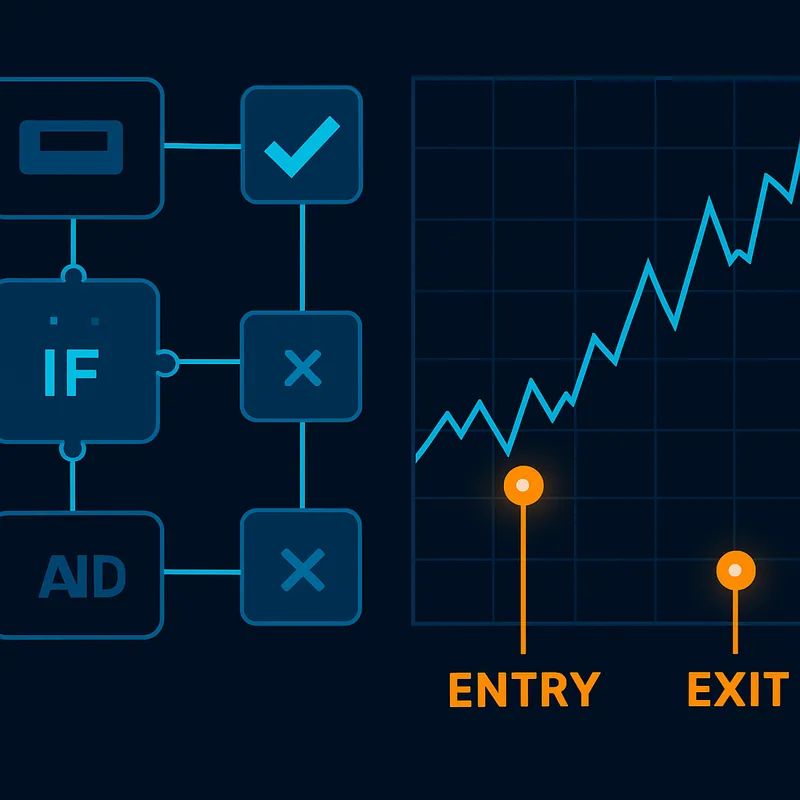
This is the category most guides don't cover. A no-code strategy builder lets you define trading logic — entry conditions, exit rules, stop-losses, position sizing — through a visual interface rather than code. You connect conditions like building blocks, see the logic rendered on a chart, and backtest it before risking real capital. This category is covered in depth later in this guide.
Key Features to Look for in a Trading Platform
When evaluating any platform, these are the criteria that actually matter:
- Order execution speed — How quickly does the platform route and fill your orders? For day trading, latency matters.
- Broker integration — Does the platform connect to the broker or exchange where your account lives?
- Technical indicators library — Does it include the indicators your strategy relies on (RSI, Bollinger Bands, volume, crossovers)?
- Backtesting capability — Can you test your strategy rules against historical data before going live? This is non-negotiable for anyone building a systematic approach.
- Visual strategy debugging — Can you see exactly where your rules triggered on the chart? Most platforms bury this in log files or don't show it at all.
- No-code condition builder — Can you define complex logic (nested conditions, multi-indicator rules) without writing code?
- Risk management tools — Does the platform support configurable stop-loss levels, averaging orders (adding to a position at defined intervals), and position sizing rules?
- Crypto trading support — If you trade crypto, does the platform connect to the exchanges you use?
- Ease of use for beginners — Is the interface learnable without a manual, or does it assume prior programming or professional trading experience?
The last three points — visual debugging, no-code logic, and risk management transparency — are where most traditional platforms fall short for traders who want to automate.
Best Trading Platforms for 2026
Best for Traditional Stock and Forex Trading
For US equities and options, Schwab's thinkorswim remains the benchmark for desktop-based charting and scanning. Fidelity is strong for long-term and active investors who want research depth alongside execution. E*TRADE (now part of Morgan Stanley) suits traders who want a clean web interface with solid options tools. For forex and CFDs, AvaTrade offers multi-platform access including MetaTrader integration.
These platforms excel at execution and research. They are not built for strategy automation.
Best for Crypto Trading
For pure crypto execution, Binance and Coinbase Advanced offer the deepest liquidity and the broadest asset selection. Both provide API access for developers who want to build bots programmatically. For traders who want a charting-first experience with crypto data, TradingView connects to multiple crypto exchanges and lets you paper-trade or execute directly — though building an automated strategy still means writing Pine Script.
Best for Building and Automating Your Own Strategy (No Code Required)
This is where Quberas occupies a distinct position. Rather than a broker interface or a scripting environment, Quberas is a visual algorithmic trading strategy builder. The core workflow is: define your strategy logic visually → backtest it on historical data → launch it as a live automated bot.
The deal map interface is the central UX element — a drag-and-drop canvas where you lay out entry conditions, averaging orders, exit rules, and stop-losses as connected blocks. The puzzle-style condition builder supports nested logic: you can combine price conditions, indicator crossovers, volume thresholds, and time filters without writing a single function. The visual debugger then highlights the exact chart zones where each condition triggered, so you can see your strategy's behavior directly on the price history rather than reading through a log.
For traders who've been frustrated by the opacity of code-based platforms or the parameter-buried interfaces of broker tools, this transparency is the core differentiator.
Best Trading Platforms for Beginners
The biggest mistake beginners make is choosing a platform based on brand recognition rather than learning curve. Starting on a platform that buries strategy logic in code or hides execution rules in nested menus means you're learning the platform, not learning trading.
The features that matter most for beginners:
- A visual drag-and-drop interface that makes logic explicit rather than hidden
- No programming required — so you can focus on strategy thinking, not syntax errors
- The ability to see rules trigger on the chart before committing real capital — this alone prevents a category of costly mistakes
- Backtesting as a risk-reduction tool — running your rules against historical data tells you whether your idea has ever worked, before you find out the hard way in a live market
Platforms that bury logic in parameters or require code also tend to produce emotional trading errors in beginners — because when you don't fully understand what your bot is doing, you override it at the worst moments. A platform where you can visually confirm every rule removes that uncertainty.
Best Platforms for Algorithmic and Automated Trading
Code-Based Platforms: Power With a Programming Tax
Algorithmic trading means executing trades based on a defined set of rules, automatically, without manual intervention. The traditional tools for this — TradingView Pine Script and MetaTrader MQL — are genuinely powerful. Pine Script lets you express complex indicator-based logic and backtest it within TradingView's charting environment. MQL gives MetaTrader users full programmatic control over order management, position sizing, and multi-timeframe logic.
The cost is real: both require programming fluency. Debugging a Pine Script strategy means reading code. Modifying an MQL Expert Advisor means editing C-like syntax. For traders whose edge is in market understanding rather than software development, this is a significant barrier — and it means many retail traders never actually automate their strategies.
No-Code Platforms: Full Algo Power Without Writing a Line
A no-code automated trading bot builder gives you the same logical expressiveness as a scripted strategy, delivered through a visual interface. In Quberas, the condition builder supports the same types of logic a Pine Script strategy would use — price relative to indicators, indicator crossovers, volume conditions, multi-condition nesting — but you assemble them by connecting blocks rather than writing functions.
The deal map interface maps directly to the structure of a real trading strategy: entry conditions trigger the opening of a position, averaging orders define how the position scales in, exit conditions close it, and stop-loss rules cap the downside. Every element is visible and editable without touching code.
Crypto trading automation is a natural fit here — crypto markets run continuously without the session breaks of traditional exchanges, which makes manual execution demanding and bot-based automation genuinely practical.
How Visual Backtesting Validates Your Edge Before You Go Live
Backtesting means running your strategy rules against historical price data to see how they would have performed. It's the difference between "I think this works" and "I can see where this worked and where it failed."
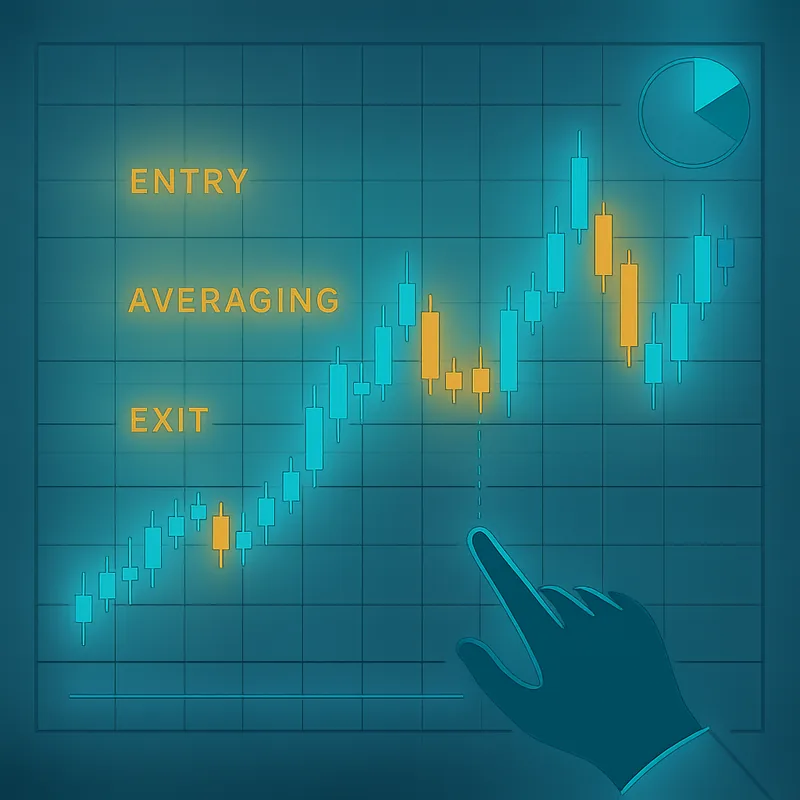
The visual debugger in a platform like Quberas takes this further: rather than showing you a table of trade results, it highlights the chart zones where each condition triggered. You can see the exact candle where your entry condition fired, where the averaging order added to the position, and where the exit rule closed it. That level of transparency lets you iterate on logic quickly — adjusting a condition and immediately seeing how the change affects historical behavior.
How Automation and Backtesting Improve Your Trading Edge
The honest answer to "can I make money trading?" is that consistency comes from process, not prediction. Automated, backtested strategies improve trading outcomes through three mechanisms:
-
Systematic rule application — Your strategy executes the same logic every time, regardless of market noise or emotional state. There's no hesitation on a valid entry, no holding a losing position because you "feel" it will recover.
-
Backtesting as strategy validation — Before risking capital, you can see exactly where your rules triggered on historical data. If the strategy lost money in every backtest, you know to refine the logic before going live. If it performed well, you have a data-backed reason for confidence.
-
Fast iteration — Seeing rules trigger on the chart means you can identify why a trade failed and adjust the condition in minutes, not hours. This compression of the feedback loop is what separates traders who improve quickly from those who repeat the same mistakes.
Day trading discipline — entering and exiting at predefined levels, not chasing moves — is exactly what automation enforces. The platform becomes the discipline.
How to Choose the Right Trading Platform for Your Strategy
Use this framework to narrow your options:
- Define your trading style — Are you executing manually based on discretion, or do you want to automate a defined set of rules? If automation is the goal, broker-first platforms are the wrong starting point.
- Identify your asset class — Stocks and ETFs, forex, or crypto? Not all platforms support all asset classes, and crypto requires exchange connectivity that many traditional platforms lack.
- List the technical indicators your strategy uses — Confirm the platform supports them natively before committing.
- Decide how important backtesting is — If you want to validate a strategy before risking capital (and you should), the platform must have a backtesting engine, not just a paper trading mode.
- No-code vs. code-based — If you're not a programmer and don't plan to become one, a no-code strategy builder will let you build more sophisticated logic faster than learning Pine Script or MQL.
- Check broker integration requirements — Does the platform connect to your existing broker or exchange, or will you need to move capital?
- Demand transparency into bot logic — If you can't see exactly what your automated strategy is doing and why, you can't improve it. Visual debuggers and on-chart rule triggers are not a luxury feature; they're a prerequisite for systematic improvement.
Frequently Asked Questions About Trading Platforms
What is the best trading platform for beginners? For beginners who want to learn manual trading, thinkorswim (Schwab) and TradingView offer strong charting and educational resources. For beginners who want to automate a strategy without coding, a no-code visual builder is a better starting point — it makes the logic explicit and lets you backtest before risking money.
What is algorithmic trading? Algorithmic trading means executing trades automatically based on a predefined set of rules — price levels, indicator signals, volume conditions — without manual intervention. The algorithm runs continuously and places orders when conditions are met.
Do I need to know how to code to automate my trading strategy? No. Code-based platforms like TradingView Pine Script and MetaTrader MQL require programming knowledge, but no-code strategy builders let you define the same logic visually. You connect conditions and rules through a drag-and-drop interface rather than writing functions.
What is backtesting and why does it matter? Backtesting runs your strategy rules against historical price data to show how they would have performed. It matters because it lets you validate — or disprove — a strategy idea before committing real capital. A strategy that looks good in theory but fails every backtest is a strategy you shouldn't trade live.
Can I use a trading platform for crypto? Yes, though not all platforms support crypto. Dedicated crypto exchanges (Binance, Coinbase Advanced) handle execution. For building and automating crypto strategies, you need a platform that connects to crypto exchanges and supports the continuous nature of crypto markets — which is one reason automated bots are especially practical for crypto trading.
What is a no-code strategy builder? A no-code strategy builder is a platform that lets you define trading logic — entry conditions, exit rules, stop-losses, position sizing — through a visual interface rather than code. You assemble conditions like puzzle pieces, see the logic rendered on a chart, and backtest it against historical data. The result is a fully automated trading bot built without writing a single line of code.
Ready to build and automate your own trading strategy without writing code? Try Quberas — see exactly where your rules trigger on the chart, backtest before you risk capital, and launch your bot in minutes.