TradingView Pricing: What Algo Traders Don't Get | Quberas
TradingView's pricing page lists five plan tiers and their costs — but it doesn't mention the one thing algo-focused traders most need to know: algorithmic trading automation is not included at any tier, regardless of what you pay. This breakdown covers every plan from Basic through Ultimate, what each one actually delivers, and why traders who want to automate their strategies are increasingly looking elsewhere.
TradingView Pricing Plans Overview
TradingView offers five plan tiers: Basic, Essential, Plus, Premium, and Ultimate. Annual billing provides a meaningful discount compared to monthly billing — the exact percentage varies and TradingView adjusts pricing by region and runs periodic promotions, so the figures below are directional. Always verify current pricing directly on TradingView's site before subscribing.
| Plan | Billing options | Notes |
|---|---|---|
| Basic | Free | No credit card required |
| Essential | Monthly or annual | Entry paid tier; annual rate is lower |
| Plus | Monthly or annual | Most common choice for active traders |
| Premium | Monthly or annual | Higher data depth and alert limits |
| Ultimate | Monthly or annual | Top tier; priority support included |
Annual billing is the practical default for serious users. Monthly billing is useful for short-term evaluation but costs noticeably more over a full year. Check TradingView's pricing page for current USD figures, as rates shift and promotional pricing is common.
What Does Each TradingView Plan Include?
The plan tiers differ primarily across five dimensions: indicators per chart, price alerts, historical bars (how far back your chart data goes), chart connections (simultaneous data feeds), and access to multiple chart layouts. Exact limits per tier are published on TradingView's own pricing and support pages — the specifics matter and are worth reading directly, since they change.
Essential vs. Plus: Is the Jump Worth It?
The TradingView Essential plan moves you off the free tier by removing ads, adding server-side alerts (alerts that fire even when your browser is closed), and increasing the number of indicators per chart and active price alerts above the Basic ceiling. You also get access to more intraday historical data than the free plan provides.
The TradingView Plus plan is where most active traders land. It raises indicators per chart further, increases price alert limits significantly, and unlocks multiple chart layouts so you can monitor several instruments simultaneously. Server-side alerts are included, and historical bar depth increases again. For traders who rely on stacked indicator setups or run multiple watchlists, Plus is a meaningful upgrade over Essential.
The jump from Essential to Plus is worth it if you regularly need more indicators running simultaneously or more concurrent alerts. If your setup is simple and your alert volume is low, Essential may be sufficient.
Premium and Ultimate: Who Actually Needs These?
The TradingView Premium plan pushes indicators per chart and alert limits substantially higher, and unlocks deeper intraday historical data — years rather than months. It also adds more simultaneous chart connections and broader access to published community scripts. For professional chartists or traders running complex multi-indicator systems, Premium delivers a noticeably richer environment.
The TradingView Ultimate plan is TradingView's top tier, adding priority customer support, the highest alert limits, and the deepest historical bar access available on the platform. It's designed for institutional-adjacent users or power traders who need maximum data depth and reliability.
One cost that applies across all paid plans: real-time market data fees. TradingView's subscription covers the platform — not the data. Real-time feeds for major exchanges carry separate fees that vary by exchange and region. Traders monitoring multiple asset classes across several exchanges can accumulate meaningful additional monthly costs on top of their plan subscription. Check TradingView's data vendor page for current per-exchange rates.
TradingView Free vs. Paid: Key Differences
The TradingView Basic plan (free) is genuinely useful for casual charting. You get access to the platform's core charting tools, a limited set of built-in indicators, and delayed data on many exchanges. The free tier shows ads throughout the interface, caps the number of indicators per chart at a low limit, and restricts how many active price alerts you can maintain at once.
Delayed data is the most significant practical limitation on the free plan. For swing traders checking daily charts, a delay may be tolerable. For anyone making intraday decisions, delayed data is a hard blocker — and real-time data requires a paid plan plus the relevant exchange data subscription.
Upgrading makes sense when any of the following apply:
- You need more indicators running simultaneously than the free tier allows
- You need alerts that fire reliably without keeping a browser tab open
- You're analyzing intraday price action and need real-time data
- You want to save and switch between multiple chart layouts
The free plan is a capable entry point for learning the platform. It is not a viable tool for systematic or active trading.
Is TradingView Worth the Cost?
For a pure chartist — someone whose workflow is analysis, annotation, and manual execution — TradingView Premium delivers genuine value. The depth of charting tools, the community of published indicators, and the multi-layout environment are hard to match at any price point.
The cost-value equation shifts significantly for traders whose primary goal is automation. Premium is TradingView's most widely discussed paid tier, and at standard annual rates it represents a substantial annual commitment — a figure frequently cited in trader communities as being close to or exceeding $900/year, though you should confirm the current price directly. Add real-time data subscriptions for multiple exchanges and you're looking at a meaningfully higher total before you've automated a single trade.
Community sentiment on Reddit (r/algotrading, r/TradingView, r/Daytrading) reflects this frustration consistently. The recurring complaint isn't that TradingView is bad — it's that the pricing implies a completeness the platform doesn't deliver for automation-focused traders. Users frequently note they're paying Premium rates and still need a separate bot tool to do anything automated.
Total cost of ownership for an algo trader on TradingView typically looks like: subscription + data fees + a third-party automation service. That stack adds up fast, and the pieces don't always integrate cleanly.
What Are the Disadvantages of TradingView for Algo Traders?
TradingView is built as a charting and analysis platform. Automation was added around the edges — and that architectural reality shows up in specific, concrete limitations regardless of which plan you're on.
Pine Script: Powerful but Not No-Code
Pine Script is TradingView's proprietary scripting language for writing custom indicators and strategy scripts. It's genuinely capable — experienced Pine Script developers can build sophisticated backtests and strategy logic. But it has a real learning curve. For traders without a programming background, Pine Script is a barrier, not a feature. Writing a strategy with proper entry logic, position sizing, and exit conditions in Pine Script takes weeks to learn and debug, not hours.
There is no visual, drag-and-drop interface for building strategy logic in TradingView. You write code, or you use someone else's published script — which means trusting logic you didn't write and may not fully understand.
Alert-Based Automation: What It Can and Cannot Do
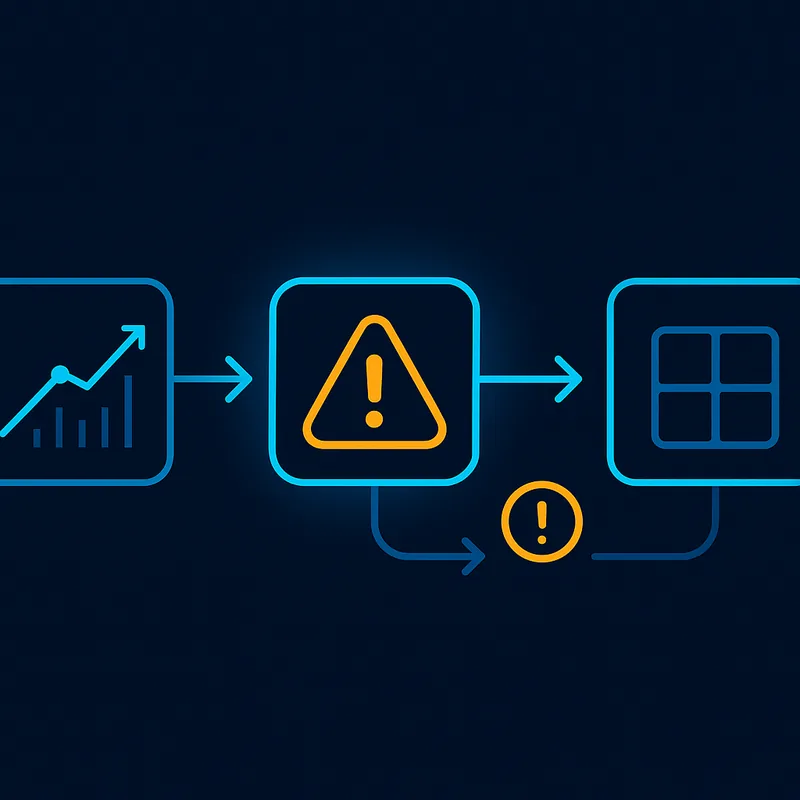
TradingView's automation model is alert-based: when a condition is met on the chart, an alert fires and sends a webhook to a third-party service (such as 3Commas, Alertatron, or a custom server), which then places the order. This works, but it introduces meaningful limitations:
- The alert fires, but TradingView doesn't manage the trade — the external tool does
- Latency and reliability depend on the webhook chain, not just TradingView
- There is no structured backtest workflow tied to your live alert logic; Pine Script backtests and alert-based live execution are separate systems
- No visual condition mapping shows you where your rules triggered on historical price action
- Every additional automation capability requires an additional paid tool — a bot platform subscription on top of your TradingView plan
The result is a fragmented stack: chart in TradingView, script in Pine Script, automate via webhook, execute through a bot service. Each layer adds cost, complexity, and a new failure point.
What Is Better Than TradingView for Algo Traders?
For traders whose goal is automated strategy execution — not just charting — the right tool is one built for that workflow from the ground up, not one that bolts automation onto a charting platform via webhooks.
Quberas is a no-code visual strategy builder designed specifically for this use case. Instead of writing Pine Script, you build strategy logic visually using a drag-and-drop deal map interface — a canvas where entry conditions, averaging orders, exits, and stop-losses are connected as discrete, visible components.
The visual condition builder supports complex nested logic: price levels, indicator crossovers, volume conditions, and multi-condition sequences — all constructed without writing a single line of code. Conditions snap together like puzzle pieces, and the logic is readable at a glance.
Where TradingView shows you a chart and lets you write code to describe what you want, Quberas shows you exactly where your rules triggered directly on the chart through a visual debugger that highlights chart zones tied to each condition. You can see why a trade fired, where it didn't, and which condition was responsible — without interpreting code output.
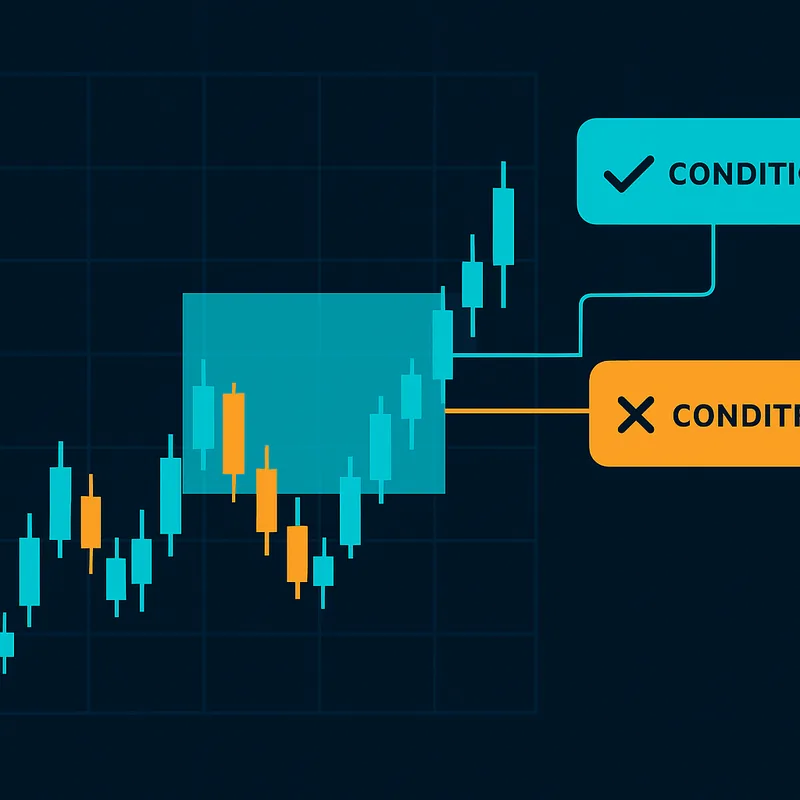
The workflow is linear and complete: build → backtest → launch. Backtesting is integrated into the same environment where you build the strategy, so what you test is what you deploy. No programming required at any step.
TradingView Pricing vs. Quberas: Total Cost of Ownership
The real cost comparison for an algo trader isn't TradingView's subscription price in isolation — it's the full stack required to actually automate a strategy:
| Cost component | TradingView stack | Quberas |
|---|---|---|
| Platform subscription | Paid tier (Premium or higher recommended for serious use) | Included |
| Real-time data fees | Additional per-exchange fees on top of subscription | Varies by broker connection |
| Third-party bot/automation tool | Separate subscription required | Not needed |
| Stack complexity | Three tools, three logins, three failure points | Single integrated environment |
The TradingView stack isn't just potentially more expensive — it's more complex. Three separate tools means three separate logins, three potential failure points, and three support queues when something breaks. The alert-to-webhook-to-bot chain works until it doesn't, and debugging a failed trade across three platforms is genuinely painful.
For traders who primarily want charting and manual analysis, TradingView's pricing is defensible. For traders whose goal is to build, test, and run automated strategies with full visibility into the logic, paying for a charting platform and then adding a bot on top is an expensive way to get a fragmented result.
A purpose-built no-code strategy builder that handles condition logic, backtesting, and execution in one visual environment eliminates that stack entirely — and makes the logic of your strategy visible at every step, not buried in code or spread across three tools.
See how Quberas replaces your charting-plus-bot stack with one visual strategy builder — try it free and build your first automated strategy without writing a line of code.