Bots de Trading Explained: Build Your First Strategy No-Code
Trading bots are software programs that monitor market conditions and execute buy or sell orders automatically, based on a set of rules you define in advance. They don't predict the future — they execute your strategy faster and more consistently than any human can. This guide explains exactly how they work under the hood, walks through the main types, and shows you how to build your first automated strategy visually, without writing a single line of code.
What Is a Trading Bot and How Does It Work?
A trading bot is an automated program that connects to a crypto exchange, reads live market data, evaluates a set of conditions, and places orders when those conditions are met. That's the entire mechanism — no magic, no AI oracle, just a rule engine running on a loop.

The difference between a bot and a manual trader isn't intelligence — it's speed and consistency. A manual trader watches a chart, recognizes a setup, and clicks. A bot does the same thing far faster, without hesitation, without fatigue, and without second-guessing itself at 2 a.m.
The condition-action loop: what a bot actually does every second
Every algorithmic trading bot runs the same core loop:
- Monitor — pull the latest price, volume, and indicator data from the exchange
- Evaluate — check whether your defined conditions are true (e.g., RSI crosses below 30 and price is above the 200 EMA)
- Execute — if conditions are met, place the order; if not, wait and repeat
This loop runs continuously at a frequency determined by the platform and the data feed. Your automated trading strategy is simply the set of rules that governs steps 2 and 3.
How bots connect to your exchange (API keys explained simply)
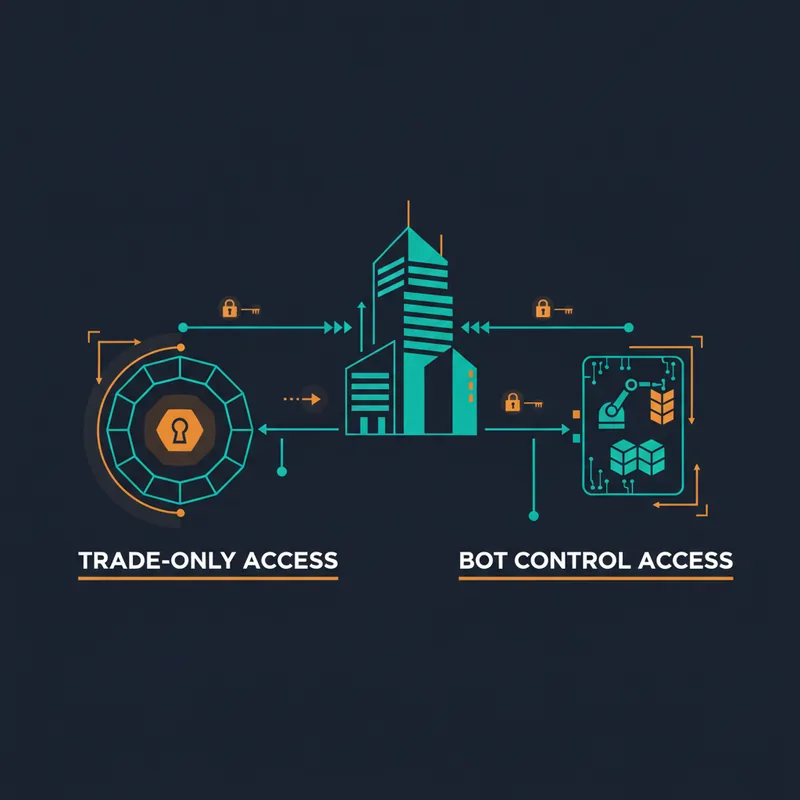
Bots don't log into your exchange the way you do through a browser. Instead, they use API keys — credentials that your exchange generates and you paste into your bot platform. The bot uses these keys to read your account data and submit orders on your behalf.
Crypto exchange integration via API is standard across all major platforms. You control the permissions: most traders grant trade access but not withdrawal access, so the bot can place orders but cannot move funds out of the account. Before connecting any bot, check your specific exchange's API usage policy to confirm that automated trading is permitted under its terms of service.
The Main Types of Trading Bots
No single bot type works in all market conditions. Matching the right bot to the right environment is one of the most important decisions you'll make. The categories below cover the most widely used approaches — they are not exhaustive, and hybrid or custom strategies exist across the spectrum.
DCA bots: averaging into a position automatically
A DCA bot (dollar-cost averaging) opens an initial position and then places additional buy orders at lower price levels if the market moves against you. The goal is to reduce your average entry price so that a smaller recovery move returns you to profit.
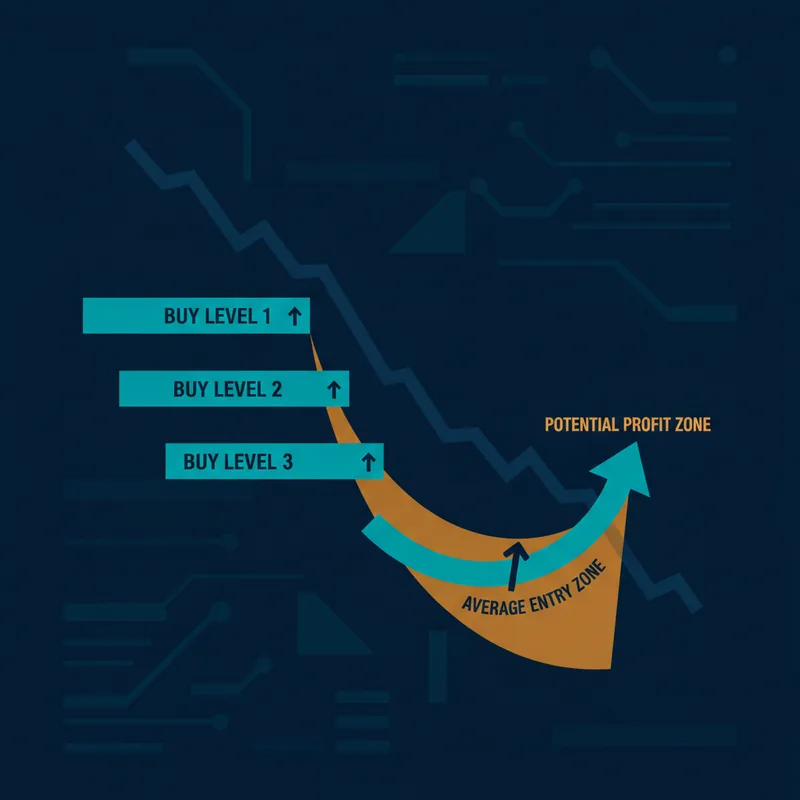
DCA bots are generally suited to markets where you expect price to eventually recover after a pullback. In conditions where price continues falling well past your averaging levels, the strategy faces increasing pressure — which is why configuring stop-loss levels and position sizing conservatively matters regardless of bot type.
Grid bots: profiting from price oscillation
A grid bot places a ladder of buy and sell orders at fixed price intervals above and below the current price. Every time price bounces between levels, the bot captures the spread. It doesn't need a directional trend — it profits from volatility within a range.
Grid bots are generally suited to sideways, choppy markets. In a strong trend, they can accumulate losing positions on the wrong side of the grid.
Arbitrage bots: exploiting price gaps across exchanges
An arbitrage bot monitors the same asset on multiple exchanges simultaneously and buys where the price is lower while selling where it's higher, pocketing the difference. These price gaps are typically small and close quickly, so arbitrage bots require low-latency infrastructure and precise execution to be viable.
AI and signal-based bots: what the label actually means
"AI trading bot" is one of the most overloaded terms in the space. Products carrying this label vary widely — some follow signals from external indicators or services, others incorporate various forms of statistical or machine-learning-based logic. The label alone tells you little about what the bot actually does or how reliable it is. Evaluate any AI-labeled bot the same way you'd evaluate any other: can you see what conditions it acts on, and can you verify its historical behavior through backtesting?
A futures bot operates on derivatives markets, allowing leveraged positions and the ability to short. The mechanics are the same as spot bots, but the risk profile is amplified — a poorly configured futures bot can liquidate a position quickly.
HODL / portfolio rebalancing bots sit at the other end of the risk spectrum: they periodically rebalance your holdings back to a target allocation (e.g., 60% BTC, 40% ETH) without trying to time the market.
Do Trading Bots Really Work?
Yes — under the right conditions, with the right strategy. But the framing matters: a bot amplifies a good strategy; it cannot replace one.
Bots have two genuine advantages over manual trading. First, they remove emotion — no panic-selling, no FOMO buying, no hesitation at the entry. Second, they eliminate execution lag — your rules fire the moment conditions are met, not several seconds later when you've finally clicked.
What bots cannot do is predict the market. They execute rules. If your rules are poorly designed, the bot executes them perfectly — and loses money perfectly.
What backtesting actually tells you (and what it doesn't)
Backtesting is the process of running your strategy against historical price data to see how it would have performed. It's the primary evidence tool for evaluating a strategy before risking real capital.
A backtest tells you: how often your rules triggered, what the win rate was, the maximum drawdown, and the overall return over a specific period. What it doesn't tell you is how the strategy will perform in future market conditions — past performance is not a guarantee.
The most common backtesting mistake is overfitting: tuning your rules so precisely to historical data that they stop working the moment market conditions shift slightly. A robust strategy performs reasonably across multiple market periods, not just one cherry-picked window.
Why transparency into bot logic matters before going live
The biggest risk with black-box bots isn't market volatility — it's not knowing what your bot is actually doing. If you can't see exactly which conditions triggered an entry or why an exit fired, you can't diagnose problems or improve your strategy.
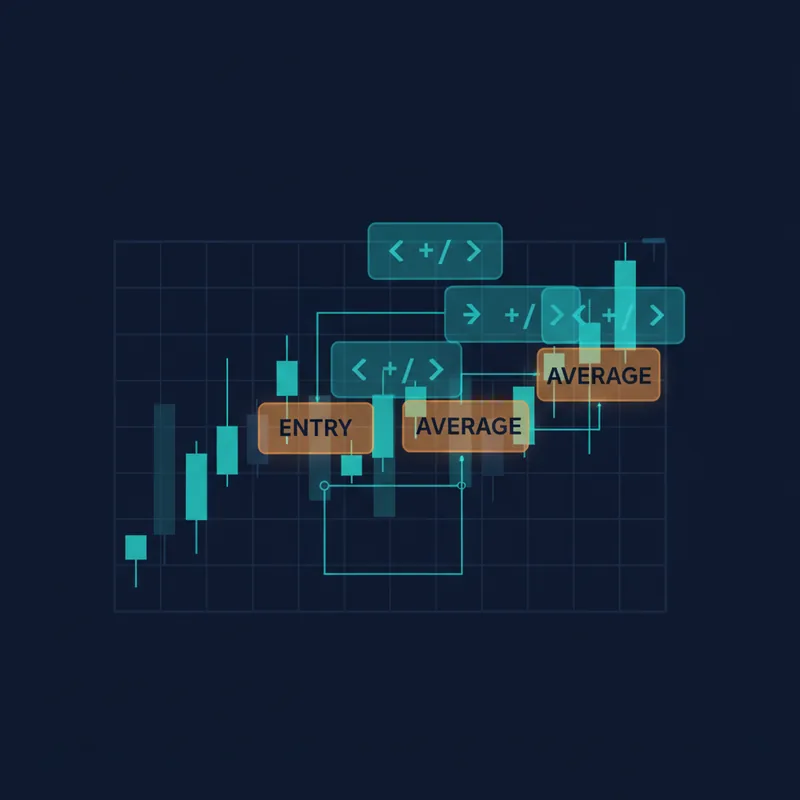
Visual proof — seeing rule triggers highlighted directly on the chart — is the most reliable way to verify that your bot logic matches your intent before you commit real money. Risk management rules (stop-loss levels, position sizing limits) should be visible and verifiable in the same way.
Are Trading Bots Legal?
Automated trading is a standard practice used by hedge funds, proprietary trading firms, and retail traders worldwide. Whether it is permitted in your specific situation depends on two things: the regulations that apply in your jurisdiction and your exchange's terms of service.
The key constraint most traders encounter is exchange policy. Many major exchanges support API-based automated trading, but policies vary by platform and can change — always read your specific exchange's API usage policy before you launch anything. Separately, practices designed to manipulate markets — such as wash trading or spoofing — are prohibited under securities and commodities law in many jurisdictions and are against the terms of most regulated exchanges, though the specifics depend on the platform and applicable law.
Before you launch any bot, verify that automated trading is permitted on your exchange and that your strategy doesn't violate any fair-use rules. This takes a few minutes and removes all ambiguity.
How Much Does a Trading Bot Cost?
Pricing varies widely across the bot platform landscape, and the right answer depends on what you need.
Free tiers exist on several platforms and are worth exploring to test a tool's interface. The typical limitations are a cap on the number of active bots, restricted exchange connections, or no backtesting access. For serious strategy development, free tiers usually aren't enough.
Subscription SaaS platforms — the model used by tools like 3Commas and others — charge on a monthly or annual basis, with annual plans typically offering a discount. Prices differ across platforms and change over time, so check each platform's current pricing page directly rather than relying on any fixed figure.
Code-heavy alternatives — hiring a developer to build a custom bot or maintaining your own scripts — carry costs in developer time and ongoing maintenance. The upside is full customization; the downside is that every change requires code.
No-code strategy builders sit in the middle: subscription-priced, but with the flexibility to build and modify complex logic without developer dependency. For traders who want to iterate quickly on their own strategies, this is often a more cost-efficient path than custom development.
Beyond price, evaluate: Does the platform show you exactly where your rules fire? Is backtesting included? What exchange integrations are supported? What happens when something breaks — is there documentation and support? Price is the least important variable if the tool is opaque.
How to Choose the Right Trading Bot — Especially as a Beginner
The most common beginner mistake is choosing a bot based on marketing claims rather than verifiable logic. Here's a practical framework.
The transparency test: can you see exactly where your rules fire?
A platform passes the transparency test if you can look at a chart and see, visually, exactly where each condition triggered — which candle caused an entry, which rule closed the position. If the logic is buried in parameter fields with no visual feedback, you're flying blind.
A no-code strategy builder with a visual interface isn't just a convenience feature — it's a verification tool. You should be able to confirm that the bot you built matches the strategy you intended before a single order is placed.
Checklist: 6 questions to ask before choosing a bot platform
- Can I see my logic on the chart? Visual rule triggers are non-negotiable for verifying strategy behavior.
- Is backtesting built in? You need historical performance data before going live.
- Which exchanges does it connect to? Confirm your exchange is supported.
- What risk management controls are available? Stop-loss, position sizing, and maximum drawdown limits should all be configurable.
- Is the logic visual or parameter-buried? Nested condition builders beat spreadsheet-style parameter forms for clarity.
- What does the community and support look like? Documentation quality and active user communities matter when you hit a problem at midnight.
Avoid any platform that can't answer questions 1 and 2 clearly.
How to Build and Launch Your First Trading Bot Strategy Without Code
Here's a concrete six-step walkthrough using Quberas's visual deal map workflow as the example.
Step 1–2: Mapping your entry logic visually
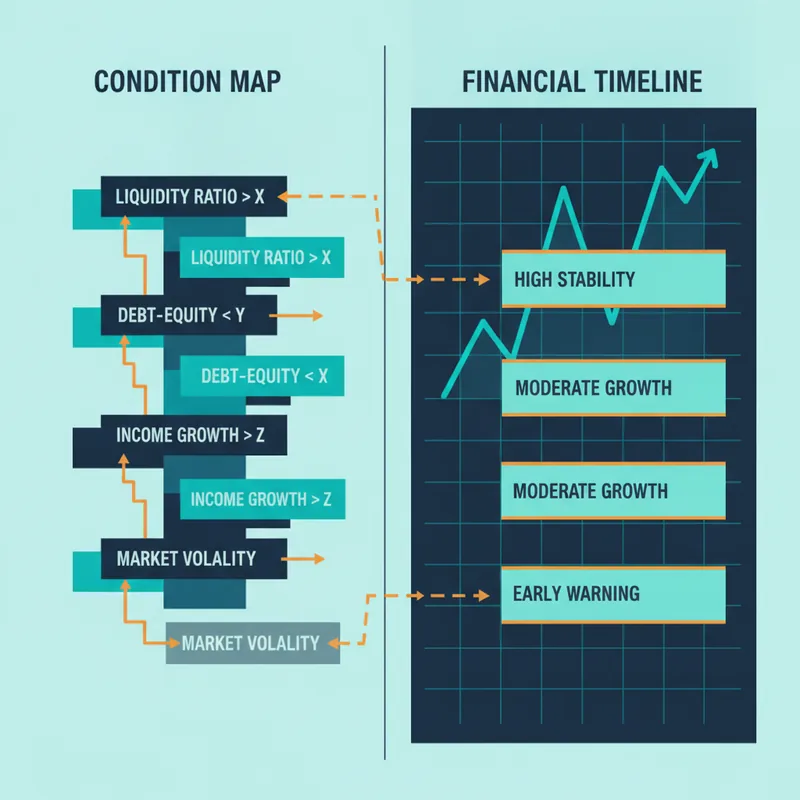
Step 1: Define your entry conditions. Open the condition builder and select the signals that define your entry. This might be a moving average crossover, an RSI threshold, a volume spike, or a combination. The puzzle-style condition builder lets you nest conditions with AND/OR logic — for example, "RSI is below 35 AND price is above the 50-period EMA." Each condition snaps together visually, so you can read the full logic at a glance.
Step 2: Set averaging orders and position sizing. If you're running a DCA-style strategy, configure how many averaging orders you want, at what price intervals, and what percentage of your capital each order uses. Position sizing here directly controls your maximum exposure — set it conservatively until you've validated the strategy.
Step 3–4: Defining exits and verifying rules on the chart
Step 3: Configure exit rules and stop-loss. Define the conditions that close your position: a take-profit target (fixed percentage or indicator-based), a stop-loss level, or a time-based exit. These are as important as your entry — a strategy without a defined exit is incomplete.
Step 4: Use the visual debugger. Switch to the chart view and activate the visual debugger. The platform highlights every zone on the chart where your conditions would have triggered — entries, averaging orders, exits. This is your verification step. If the triggers don't match your intent, adjust the conditions and re-check before moving on.
Step 5–6: Backtesting, reviewing results, and launching
Step 5: Run a backtest. Select a historical date range and run the backtest. Review the results: total return, win rate, maximum drawdown, number of trades. Look for consistency across different market periods, not just the best-performing window. If the strategy only works during one specific bull run, it's overfit.
Step 6: Connect to your exchange and go live. Generate API keys on your exchange (trade permissions only — no withdrawal access), paste them into the platform, select your live account, and activate the strategy. The deal map — the visual representation of your full strategy logic — is now running live, executing the exact rules you verified on the chart.
Frequently Asked Questions About Trading Bots
Can a trading bot lose money? Yes. A bot executes your rules — if the strategy is flawed or market conditions shift dramatically, it will lose money. Risk management controls (stop-loss, position sizing) limit the damage, but they don't eliminate it. Never run a bot on capital you can't afford to lose.
Do I need to know how to code? No — not with a no-code platform. Visual strategy builders let you construct complex nested logic through a drag-and-drop interface without writing any code.
Can I use a bot on Binance or other major exchanges? Many major exchanges support API-based automated trading, but terms vary by platform. Check your exchange's API usage policy directly to confirm that bot trading is permitted and to understand any restrictions that apply.
How long does it take to set up a bot? With a visual no-code builder, a basic strategy can be configured, debugged, and backtested in a single session. More complex strategies with nested conditions and multiple averaging levels take longer to refine — but the iteration cycle is fast because you can see the results on the chart immediately.
What happens if the market crashes while my bot is running? This depends entirely on your strategy and risk management settings. A bot with a properly configured stop-loss will close the position at your defined level. A DCA bot without a stop-loss will keep averaging down — which can work if the asset recovers, or compound losses if it doesn't. This is why defining exit rules and stop-loss levels before going live is non-negotiable.
Ready to build your first trading bot without writing a single line of code? Start constructing your strategy visually in Quberas — see exactly where your rules fire on the chart before you go live.