Robot Trading Explained: Build Bots Without Code
Robot trading means letting software—not your own finger on the buy button—open and close positions on your behalf, based on rules you (or someone else) defined in advance. It works when the rules are sound, tested against real price history, and transparent enough that you understand why a trade fired before it happens again with real money. This guide walks through how trading robots actually make decisions, how the main platform types differ, what they cost, and how to build one yourself without writing a line of code.
What Is Robot Trading?
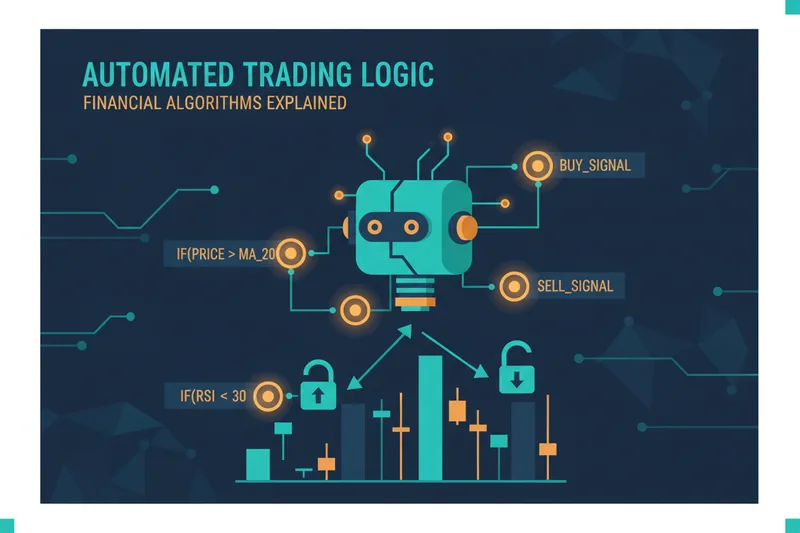
A trading robot (or bot) is a program that monitors a market and executes trades automatically once a set of predefined conditions is met. It's the practical application of algorithmic trading: converting a trading idea—"buy when price crosses above the 50-period moving average and volume spikes"—into a rule a machine can evaluate continuously, without fatigue or hesitation. Robots exist for forex trading, stock markets, and as a crypto trading bot running 24/7 on exchanges that never close.
Robot Trading vs Manual Trading
Manual trading depends on a person watching charts, judging setups, and clicking the trigger. Robot trading removes that step but introduces a new problem: trust. If you can't see exactly why a bot entered or skipped a trade, you're outsourcing decisions to a black box. That's the gap platforms like Quberas are built to close, by making every rule and trigger point visible directly on the chart rather than buried in a settings panel. The trade-off is discipline versus flexibility—a robot won't panic-sell, but it also won't improvise if conditions shift outside what it was built to handle.

Common Use Cases: Forex, Crypto, and Stocks
Forex robots typically run around news releases or session overlaps, where volatility is predictable. Crypto bots are popular because crypto markets never close, and manually watching a 24/7 market isn't sustainable. Stock and futures bots often target intraday patterns. Underlying strategies vary widely too—day trading approaches commonly include range trading, trend trading, gap trading, breakout trading, and scalping, which operates on very short 1-to-15-minute charts where execution speed and spread matter more than the broader trend, among other styles traders combine or adapt. A robot's usefulness depends heavily on matching its logic to the right strategy type and timeframe.
How Trading Robots Work: Signals, Algorithms, and Execution
Every robot follows the same basic loop: read data, evaluate conditions, act. What differs is where the data comes from and how the conditions are structured.
Where Signals Come From (Indicators, Price Action, Volume)
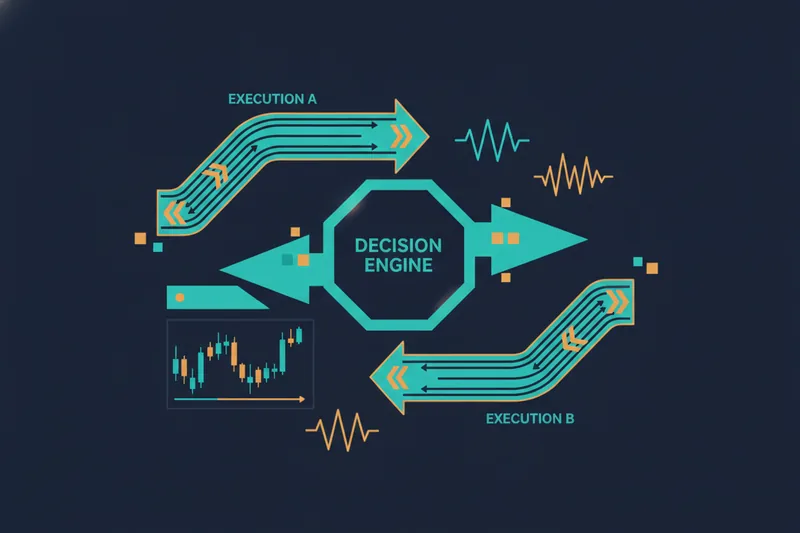
Trading signals are the inputs a bot watches: indicator readings (moving averages, RSI, MACD), raw price action (support/resistance breaks), and volume. Some newer tools layer AI trading models on top of these inputs to weight signals or detect patterns—capability that used to be limited to institutional desks and is now reaching retail traders directly. Large language models can even be connected to live market feeds and execution infrastructure to generate or act on signals, though that's a different, less transparent approach than rule-based logic you can inspect line by line.
From Signal to Execution: How a Bot Pulls the Trigger
Once a signal fires, the bot checks it against entry and exit conditions—thresholds like "RSI below 30 AND price above the 200-day average." If all conditions are true, the execution logic sends the order. This is where transparency matters most: two bots can use the same indicator but produce very different results depending on how strictly the conditions are combined, in what order, and with what tolerance for noise.
Robot Trading Platforms Compared: MT4/MT5 vs No-Code Builders
The two dominant approaches to automated trading look nothing alike under the hood.
What MT4/MT5 Robots Require (Scripts, Parameters, EAs)
MetaTrader 4/5 (MT4/MT5) robots, known as Expert Advisors (EAs), are written in MQL4/MQL5 code. Adjusting logic means editing scripts or tweaking numeric parameters in a settings window, often with little visual feedback on what a given parameter actually changes on the chart. Some newer platforms, such as AlgoBuilder, offer more structured tools for building, backtesting, and deploying rule-based strategies, but many still rely on code-based approaches like Python rather than a visual interface. That's workable for developers, but it puts a coding skill requirement between the trader and the strategy.
What a Visual No-Code Builder Changes (Deal Maps, Condition Logic)
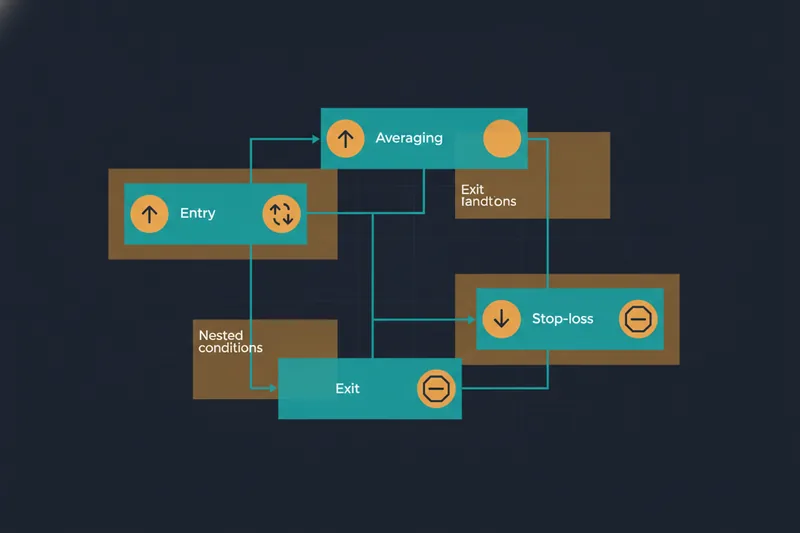
A no-code strategy builder replaces scripts with a visual "deal map"—a flowchart of entry, averaging, exit, and stop-loss stages connected on screen. Conditions are assembled through a condition builder using dropdowns and nested logic blocks (price, indicator, volume, crossover) instead of syntax. The practical difference: you can look at the map and know what the bot does, instead of reverse-engineering code or a wall of parameters.
Best Robot Trading Options to Consider
"Best robot trader" isn't a single product—it's a category question. Three broad types exist:
- Marketplace robots: pre-built strategies you subscribe to or copy. Convenient, but you're trusting someone else's logic and, often, paying a cut of profits similar to copy-trading fee structures of roughly 10–20%.
- Coded EAs and scripts: maximum flexibility if you or someone you hire can program, but harder to audit and modify quickly.
- No-code visual builders: you construct and own the logic yourself, with the trade-off of working within the builder's condition set rather than arbitrary code. Some platforms specialize by asset class—for instance, one well-known tool focuses on stocks, ETFs, and futures while routing crypto and forex to separate sister platforms, so matching platform to market is part of the decision.
Whichever type you pick, weigh how visible the risk management/stop-loss logic is—not just whether the option exists, but whether you can see it applied on the chart before trading live.
Do Trading Bots Really Make Money?
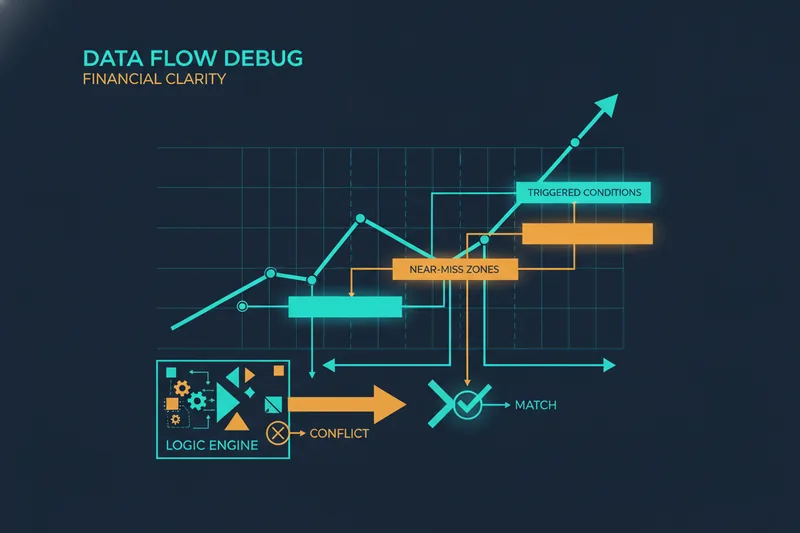
Bots don't make money by existing—they make money when the underlying logic has a real, tested edge, and lose money just as fast when it doesn't. The honest answer is: it depends entirely on validation, not on the fact that a robot is running. Rigorous backtesting against historical data is the baseline check, but it's not sufficient on its own—strategy readiness generally requires both backtesting and forward testing on live-but-unfunded conditions before real capital goes in. The other half of "does it work" is false signals: a threshold that almost triggers repeatedly but shouldn't have. A visual debugger that shows how close a condition came to firing, not just whether it did, lets you tighten thresholds instead of guessing at parameters blind.
How Much Does a Trading Robot Cost?
Costs cluster around three models:
- Coded bots and EAs: often free or one-time purchase, but you absorb hosting and maintenance costs, plus developer time for changes.
- Marketplace subscriptions: monthly fees or profit-share commissions, commonly in the 10–20% range for copy-style arrangements.
- No-code platform pricing: typically tiered subscriptions, sometimes paired with a marketplace commission if you publish and monetize your own strategy for others to use.
Execution costs matter too, independent of the platform. Some trading tools charge no monthly fee but a per-contract commission for live trading—NinjaTrader's free tier, for example, charges $0.39 per side on Micro contracts and $1.29 on Standard contracts, while its paid Lifetime license lowers that to $0.09 and $0.59 respectively; Tradovate's pay-as-you-trade model charges similarly, at $0.39 for Micro and $1.29 for Standard contracts per side. The lesson: compare the platform fee and the execution fee together, not in isolation.
How to Build, Backtest, and Launch Your Own Trading Bot Without Code
Map Entries, Averaging, Exits, and Stop-Losses Visually
Start with the deal map: place an entry condition, then define averaging orders that add to the position at set price levels if it moves against you. Note this is distinct from a DCA bot, which buys or sells at fixed time intervals regardless of price—averaging orders on a deal map trigger by price level, not by clock. Add exit and stop-loss stages so the full trade lifecycle sits on one visual flow.
Debug Why (or Almost) a Trade Triggered
Run the visual debugger to highlight exactly which chart zones satisfied each condition, and which came close but didn't. This catches conflicting rules (two conditions that can never both be true) and noise-driven near-misses before they cost you real trades.
Backtest Before Going Live
Test the strategy against historical OHLCV (open-high-low-close-volume) data for a broad performance check, or against more granular bid/ask and order-book-derived data when execution precision matters, such as for scalping-style logic. Compare variations of the same strategy side by side before committing capital.
Publish and Monetize Your Strategy
Once a strategy performs consistently in testing, you can publish it publicly or share it privately via a whitelist, earning recurring payouts when others subscribe—commission terms depend on your plan.
Risks and Limitations of Automated Trading
No bot removes risk—it just changes where it shows up. Overfitting is the biggest hidden trap: a strategy tuned so precisely to past data that it fails the moment market conditions shift. Structured risk rules help contain damage regardless of strategy quality; the widely referenced 3-5-7 rule, for instance, caps risk per trade at 3%, total open exposure at 5%, and targets a minimum 7% profit-to-loss ratio. Applying similar caps and a cooldown after stop-loss at the strategy level prevents a bot from re-entering immediately after a loss during high market volatility. Infrastructure is a real, less-discussed risk too: a bot can run on a home PC for testing, but for live trading the failure modes of a home setup—power loss, internet drops—make a dedicated always-on server effectively necessary for serious use.
Robot Trading FAQ
Is robot trading legal?
Yes, in most jurisdictions and on regulated brokers and exchanges, automated trading is legal. Check your specific broker's or exchange's terms, since some platforms restrict certain automation methods.
Do I need coding skills to use a trading robot?
Not with a no-code strategy builder—you construct entries, exits, and conditions visually. Coding is only required for custom scripts on platforms like MT4/MT5.
Can I try a strategy before trading with real money?
Yes. Backtesting against historical data, and where available, testing under live-but-unfunded conditions, are standard steps before risking capital—and among the best robot trader options, the ones worth trusting are the ones that let you see this validation clearly, not just take their word for it.
Building a trading robot doesn't have to mean trusting a black box or learning to code first. Try building your first trading robot visually on Quberas—see every rule, entry, and exit mapped on the chart before you risk a dollar.