Futures Trading Platforms: Execution & Strategy Automation
Choosing a futures trading platform is not just a question of commissions and order routing. It is a two-part decision: which broker handles your execution, and which tool lets you build, test, and automate the strategy you are actually trading. Most comparison guides cover the first part and ignore the second entirely. This guide covers both — including how to construct and backtest a rule-based futures strategy without writing a single line of code.
What Is a Futures Trading Platform?
A futures contract is a standardized agreement to buy or sell an underlying asset at a set price on a specified future date. Futures cover equity indexes (S&P 500, Nasdaq), commodities, currencies, and more — though the precise mechanics and regulatory treatment vary by exchange and contract type; always confirm the specifics with your broker.
A futures trading platform is the software environment where you access those markets. But that phrase covers two distinct layers that traders often conflate.
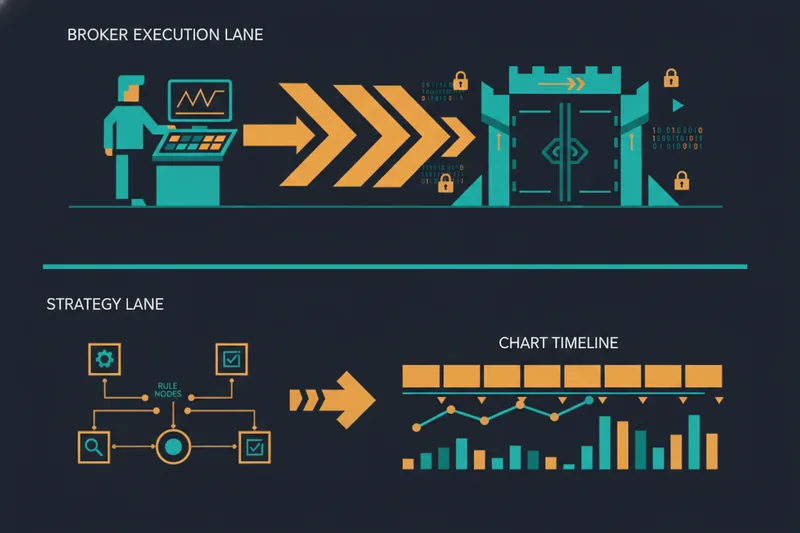
The Execution Layer: What Your Broker's Platform Handles
The execution layer is your futures broker's platform. It handles order routing to the exchange, real-time margin management, position tracking, and charting. When you place a limit order on NinjaTrader or thinkorswim, you are working inside the execution layer. This is where trades actually happen.
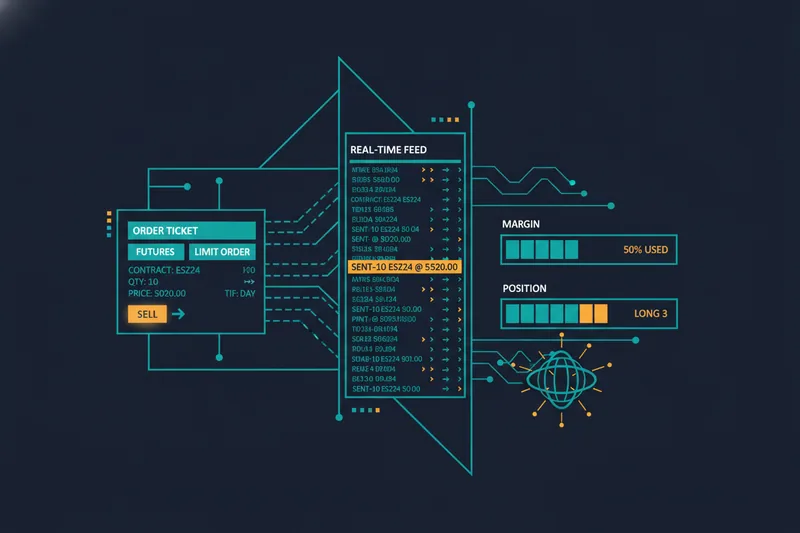
The Strategy Layer: Where Automation and Backtesting Live
The strategy layer is where you define what to trade and when — entry conditions, exit rules, stop-losses, position sizing. For many brokers, accessing this layer means writing code: NinjaScript, thinkScript, or a Python API. That programming requirement is the gap that leaves many retail traders stuck at manual execution, even when they have a clear, rule-based approach in mind.
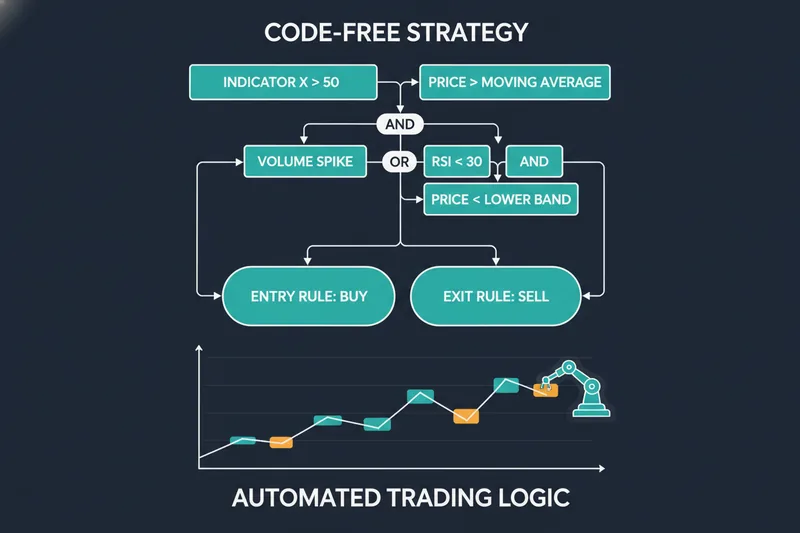
Understanding this two-layer distinction matters the moment you want to move from clicking buttons to running a systematic, algorithmic trading strategy. The broker gets your orders to the market; the strategy layer determines which orders to send and when.
How Futures Trading Platforms Are Structured: Key Features to Understand
Before comparing specific platforms, it helps to evaluate any futures tool against the same consistent framework.
Order Types and Execution Quality
Every serious futures platform supports the core order types: market orders for immediate fills, limit orders to control entry price, stop orders to cap losses, and bracket orders that bundle an entry with a pre-set profit target and stop-loss. Beyond these basics, execution quality — how reliably orders fill at the expected price during fast markets — varies meaningfully across brokers.
Charting and Market Data
Real-time data feeds and responsive charting are non-negotiable. Look for tick-level data, multiple timeframe support, and the ability to overlay indicators directly on price. Some platforms charge separately for professional-grade data feeds; others bundle them into a subscription.
Margin, Leverage, and Risk Controls
Margin is the deposit required to hold a futures position. Futures margin requirements are set by brokers and can differ from exchange-published figures — brokers have discretion to set their own margin levels, and intraday rates in particular vary widely by broker and account type. Leverage amplifies both gains and losses, so built-in risk controls — maximum position size, daily loss limits — are worth evaluating carefully, especially for automated strategies running without constant supervision. Always confirm current margin requirements directly with your broker before trading.
Commissions and Fee Structures
Futures trading costs stack in layers: a per-contract broker commission, an exchange fee set by the relevant exchange, and a small NFA (National Futures Association) regulatory fee. Some platforms add a separate data feed fee or a monthly platform fee on top. Understanding the full per-round-turn cost — not just the headline commission — is essential for accurate cost comparison.
Paper trading (simulated trading with real market data but no real money at risk) is another feature worth confirming before committing to a platform. It is the safest way to validate a strategy before going live.
API access for algorithmic trading is available on several platforms, but it typically requires programming knowledge to use effectively.
Best Futures Trading Platforms Compared
NinjaTrader
NinjaTrader is one of the most widely used dedicated futures platforms among active retail traders. Its strengths are deep charting, a large ecosystem of third-party indicators, and NinjaScript — a C#-based scripting language for building automated strategies. NinjaTrader also offers a point-and-click Strategy Builder for basic automated strategies without coding, though complex logic still typically requires NinjaScript. The platform offers different tiers for charting, simulation, and live trading; check the NinjaTrader pricing page directly for current license and commission details, as these change. The audience skews toward technically inclined traders, though the built-in strategy builder gives less experienced users a starting point.
Tradovate
Tradovate is a futures broker with a modern, web-accessible interface. It offers both per-contract and membership-based pricing options — visit Tradovate's pricing page for current rates, as the specifics vary by plan and volume. For automation beyond basic order management, algorithmic traders typically connect third-party tools via API. Best suited to discretionary traders who value platform accessibility and predictable costs.
thinkorswim by Schwab
thinkorswim (formerly TD Ameritrade, now under Charles Schwab) is a full-featured platform covering futures alongside equities, options, and forex. Its scripting language, thinkScript, allows custom indicators and some strategy automation. Paper trading is built in. It suits traders who want broad asset access in one place and are willing to learn thinkScript for more advanced automation. Confirm current commission rates and account requirements directly with Schwab.
Interactive Brokers
Interactive Brokers (IBKR) is the professional-grade choice: global market access, competitive margin rates, and a powerful IBKR API that supports Python, Java, C++, and other languages. The platform is genuinely capable for sophisticated algorithmic trading, but the interface has a steep learning curve and the API requires real programming ability. Best for experienced traders or those with a development background.
AMP Futures
AMP Futures is a low-cost execution broker that supports a wide range of third-party charting and automation platforms through its clearing relationships. It competes primarily on commission rates and platform flexibility rather than proprietary tools. A practical choice for cost-conscious traders who already have a preferred charting or automation platform. Check AMP Futures directly for current commission schedules and supported platform integrations.
Quick Comparison Table
| Platform | Best For | Commissions | Algo/Scripting Support | No-Code Automation |
|---|---|---|---|---|
| NinjaTrader | Active/algo traders | See ninjatrader.com | NinjaScript (C#) + basic Strategy Builder | Limited built-in |
| Tradovate | Discretionary, web access | See tradovate.com | API only | None |
| thinkorswim | Multi-asset, broad access | See schwab.com | thinkScript | None |
| Interactive Brokers | Professional/algo | See ibkr.com | IBKR API (Python, etc.) | None |
| AMP Futures | Cost-focused traders | See ampfutures.com | Third-party dependent | None |
For traders who want to express complex, nested rule-based logic visually — without writing or maintaining code — the broker-native options remain limited. That gap is where a dedicated no-code strategy builder becomes relevant.
Best Futures Trading Platform for Beginners
Beginners evaluating futures trading platforms need something different from what most broker comparisons highlight. Low commissions matter, but they are secondary to three things: transparency into what a trade is actually doing, a paper trading environment to practice without risk, and a low enough capital threshold to get started without overexposing a small account.
Code-heavy platforms like NinjaTrader (NinjaScript) and thinkorswim (thinkScript) create a steep learning curve that has nothing to do with trading skill. A beginner who has a clear idea — "buy when the 9 EMA crosses above the 21 EMA and volume is above average" — should not need to learn a programming language to test it.
Visual, no-code strategy builders lower this barrier significantly. Instead of writing code, you connect conditions in a visual interface and see exactly where those rules would have triggered on historical price data. The Quberas deal map interface is built around this idea: entry conditions, averaging orders, exits, and stop-losses are all defined visually, and the platform shows you on the chart precisely where each rule fires.
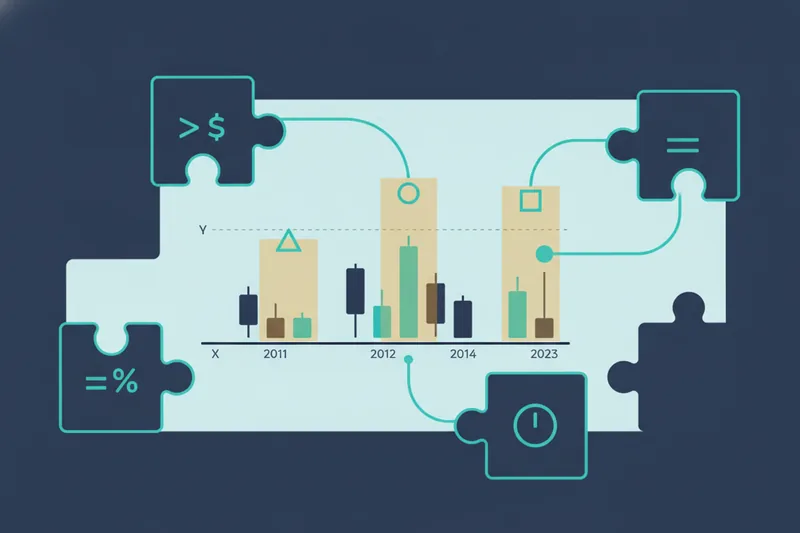
For a beginner, seeing rule triggers on the chart before going live is not just convenient — it is how you build genuine confidence in a strategy rather than hoping it works.
Best Futures Platform for Algorithmic and Automated Trading
Code-Based Automation: Power With a Programming Tax
Code-based approaches — NinjaScript, the IBKR API, Python-based frameworks — give experienced developers fine-grained control over every aspect of a strategy. You can implement complex position sizing logic, multi-leg strategies, and custom risk models. The tradeoff is real: debugging a strategy means reading through code, and iterating on logic means rewriting and recompiling. For traders without a programming background, the barrier is steep.
No-Code Visual Automation: Full Logic Transparency Without Writing a Line
No-code does not mean less capable — it means the logic is expressed visually rather than syntactically. A well-designed no-code strategy builder covers the same logical requirements that algorithmic trading demands: rule-based entries, exits, stop-losses, and position sizing, all defined without ambiguity.
Quberas approaches this through a puzzle-style condition builder that supports nested logic across price levels, indicators, volume, and crossover conditions. You can express "enter long when RSI crosses above 30 AND price is above the 200 SMA AND volume exceeds the 20-period average" without writing a line of code. The conditions snap together visually, and the visual debugger highlights the exact chart zones where each condition is satisfied — so you can see, not just assume, that your logic is working as intended.
Backtesting is a non-negotiable step before any strategy goes live. Running your rules against historical data reveals whether the logic actually produces the outcomes you expect, and the chart-based results view makes it immediately clear where the strategy performed and where it broke down.
How to Build and Backtest a Futures Strategy Without Code
This is the workflow most futures trading guides skip entirely. Here is how it works in practice using a visual, no-code approach.
Step 1: Define Your Entry Conditions
Start by specifying what has to be true for a trade to open. In a visual builder, this means selecting conditions — an indicator crossover, a price level breach, a volume spike above a threshold — and connecting them with AND/OR logic. You are building the same rule set a developer would code, but through a drag-and-drop interface. Be precise: vague conditions produce inconsistent entries.
Step 2: Set Exits and Stop-Losses
In the deal map, define what closes the trade. This includes your profit target (a fixed price level, a percentage move, or an indicator-based exit), any averaging orders if your strategy scales into a position, and your stop-loss condition. The stop-loss is not optional — it is the rule that limits how much a single trade can cost you, and it needs to be defined before backtesting, not added as an afterthought.
Step 3: Backtest and Read Results on the Chart
Run the strategy against historical data. A chart-based results view shows you every entry and exit the rules would have triggered, color-coded by outcome. This is where visual debugging earns its value: instead of parsing a spreadsheet of trades, you can see whether your entries are clustering in the right market conditions or firing in noise. Look at drawdown periods as carefully as winning runs.
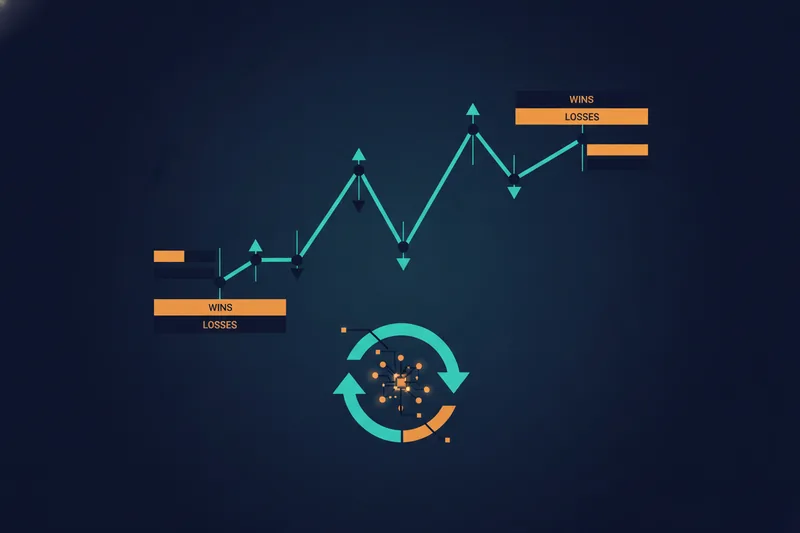
Step 4: Iterate and Launch
Backtesting rarely produces a finished strategy on the first run. Adjust a condition — tighten the stop, change the indicator period, add a volume filter — and re-run. Repeat until the logic is genuinely sound, not just curve-fitted to a narrow historical window. When results hold across different market conditions, the strategy is ready to move from paper trading to live execution.
The Quberas no-code strategy builder is designed around this exact loop: build, visualize, backtest, iterate.
Futures Trading Fees and Commissions Explained
Every futures trade carries costs that stack across multiple parties. Understanding each layer prevents surprises when you calculate actual profitability.
Per-contract commissions break down into three components: the broker's own fee, the exchange fee charged by the relevant exchange, and a small NFA regulatory fee. The broker fee is the one that varies most across platforms and is most negotiable at higher volumes. Because commission structures change and vary by account type and volume tier, always verify current rates directly on each broker's pricing page before opening an account.
Platform fees are separate from commissions. Some platforms charge a license fee — one-time or recurring — for live trading access. Others bundle platform access into a membership or subscription model that replaces or reduces per-contract commissions. The right model depends on your trade frequency: high-volume traders often benefit from flat-fee structures, while lower-frequency traders may prefer pay-per-trade pricing.
Data feed fees can add meaningfully to monthly costs depending on the exchange data packages you need. Professional-grade data typically costs more than non-professional data, and the distinction matters for compliance as much as cost.
SaaS strategy-building tools — platforms like Quberas — add a subscription cost that sits outside the broker fee structure. Evaluate this as part of your total trading infrastructure cost, weighed against the time and development cost of building the same capability in code.
How Much Money Do You Need to Trade Futures?
Micro Futures: The Low-Capital Entry Point
Micro futures contracts — including Micro E-mini versions of major equity index futures such as the S&P 500 and Nasdaq-100 — are smaller-sized contracts designed to give traders exposure to major markets with lower capital requirements than standard e-mini futures contracts. Because margin requirements are set by brokers and can vary significantly by firm and account type, check the current figures directly with your broker before trading.
Many brokers offer reduced intraday margin rates for day traders, though the specific rates and conditions differ by broker and are subject to change. Confirm the current policy with each broker individually.
Broker account minimums also vary across platforms. Rather than citing figures that may be outdated, check each broker's current account opening requirements directly. What matters practically is that your account holds enough capital above the margin requirement to absorb normal drawdown without triggering a margin call.
Futures traders are generally not subject to the Pattern Day Trader (PDT) rule that requires a $25,000 minimum equity balance for frequent day trading in equities — though you should confirm the regulatory treatment with your broker, as rules can change.
What Can You Automate at Different Account Sizes?
Regardless of account size, the core principle is the same: your stop-loss defines your maximum loss per trade, and that figure must be a small fraction of total account equity — typically 1–2% — to survive a losing streak without blowing up the account.
A smaller account trading micro contracts with a rule-based bot needs a tightly defined stop-loss and conservative position sizing. A larger account has more flexibility — multiple contracts, or scaling into a position with averaging logic — but the discipline of defining risk rules before going live applies at every level.
At any capital tier, the most important risk management step is defining your stop-loss before the strategy goes live — not after the first losing trade.
How to Choose the Right Futures Trading Platform
The right setup depends on four variables: your capital level, your trading style (discretionary vs. systematic), your automation goals, and your coding ability.
For broker selection, evaluate: all-in per-contract cost at your expected trade volume, intraday margin rates for the contracts you plan to trade, platform stability during high-volatility sessions, and data feed quality. Paper trading availability matters if you are still validating a strategy.
For the automation layer, the key question is whether you want to write code or not. Code-based tools (NinjaScript, IBKR API) offer maximum flexibility but require real programming skill and ongoing maintenance. No-code visual builders offer faster iteration, full logic transparency, and accessibility without a development background — at the cost of some flexibility at the extreme edges of strategy complexity.
A practical recommendation matrix:
- Beginner, discretionary — thinkorswim or Tradovate for execution; paper trade manually before adding automation.
- Intermediate, wants to automate without coding — any compatible broker for execution + a no-code strategy builder like Quberas for the strategy layer.
- Advanced, comfortable with code — Interactive Brokers or NinjaTrader with NinjaScript/IBKR API for full programmatic control.
Quberas sits at the strategy-building layer above your broker — it is where you define, test, and iterate on your rules, regardless of which compatible broker handles execution.
Frequently Asked Questions About Futures Trading Platforms
What is the best futures trading platform for beginners? For execution, thinkorswim offers a platform with paper trading and broad educational resources. For strategy building without code, a visual no-code builder reduces the learning curve significantly by letting you see your rules on the chart before risking real capital.
Can I trade futures without coding skills? Yes. Discretionary trading requires no coding at all. For automated strategies, no-code visual builders now cover the full range of rule-based logic — entries, exits, stop-losses, nested conditions — without requiring any programming knowledge.
How much does a futures trading platform cost? Execution platforms range from free tiers to monthly or one-time license fees depending on the broker and plan. Data feeds add to monthly costs depending on the exchange packages you need. Strategy-building SaaS tools vary by provider and plan. Always check current pricing directly with each provider.
What is backtesting and why does it matter for futures traders? Backtesting runs your trading rules against historical price data to see how they would have performed. It is the essential step between having a strategy idea and trading it with real money — it reveals whether the logic actually works before you risk capital on it.
Is NinjaTrader free? NinjaTrader offers different access tiers for charting, simulation, and live trading. Check the current pricing at ninjatrader.com, as the fee structure and what is included at each tier can change.
What is the minimum account size to trade futures? There is no single universal answer — it depends on the broker's account minimum, the margin requirement for the specific contract you want to trade, and how much buffer you need above margin to manage drawdown. Micro futures contracts have lower margin requirements than standard e-mini contracts, making them more accessible for smaller accounts. Confirm current requirements with your broker.
What is the difference between a futures broker and a strategy builder? A futures broker handles order execution, margin, and your connection to the exchange. A strategy builder is where you define and test the rules that determine what orders to send. Most brokers offer basic charting but require coding for sophisticated automation — a dedicated no-code strategy builder fills that gap without requiring programming skills.
Ready to build and backtest your own futures strategy without writing a single line of code? Try Quberas free and see your trading rules trigger live on the chart.