Trading Software: Automate Strategies Without Code | Quberas
Trading software is any application that helps you analyze markets, define trading rules, and execute orders — automatically or manually — based on a structured strategy. It goes well beyond a broker's order entry screen. Where a brokerage interface lets you place a trade, trading software lets you build the logic that decides when to place it, then test that logic against historical data before a single dollar is at risk.
That distinction matters most when you want to move from discretionary trading to algorithmic trading — rule-based execution where the software acts on predefined conditions rather than gut feel. This guide covers what trading software actually is, the main types, what features to evaluate, and how to automate a strategy without writing a line of code.
What Is Trading Software?
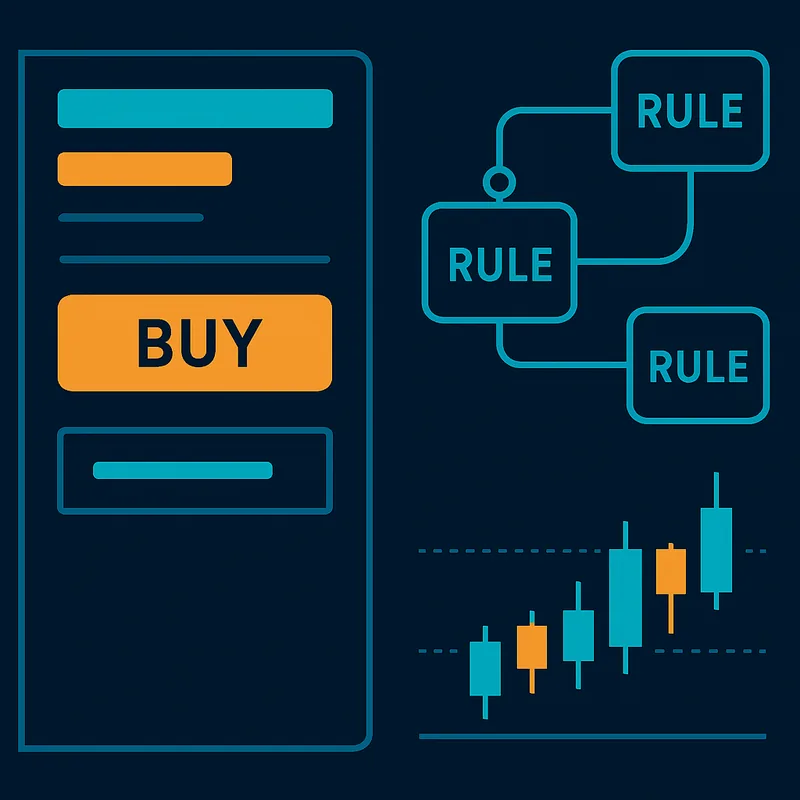
Trading software is a broad category covering any tool that supports the construction, analysis, or execution of a trading strategy. That includes charting platforms, strategy builders, backtesting engines, and fully automated trading bots.
The key distinction from a standard brokerage interface is strategic depth. A broker dashboard lets you buy or sell. Trading software lets you define when to buy or sell — and under what conditions — using rule-based trading logic built on price action, technical analysis indicators, volume data, or any combination of signals you specify.
Trading automation takes this further: once your rules are defined, the software monitors the market and executes orders without manual input. This is the domain of algorithmic trading, where strategies run as coded or visually constructed rule sets that trigger order execution automatically when conditions are met.
Charting tools are often embedded in trading software, giving you a visual layer to interpret price history, overlay indicators, and — in more advanced platforms — see exactly where your strategy rules would have triggered in the past.
Types of Trading Software
Not all trading software serves the same purpose or the same trader. Understanding the main categories helps you identify which type fits your workflow.
Broker-Integrated Platforms
These are platforms tied directly to a brokerage account — thinkorswim (TD Ameritrade/Schwab) is a well-known example. They combine order execution with charting and basic scripting tools. The advantage is tight integration with your account. The limitation is that strategy logic is often locked inside the platform's proprietary scripting language, and customization depth varies significantly by broker.
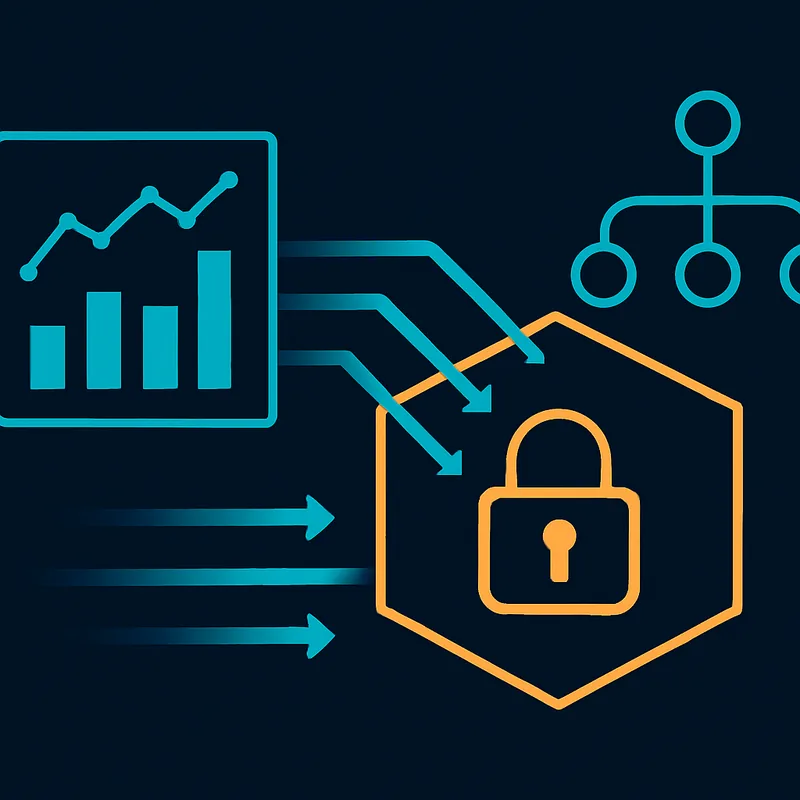
Day trading platforms often fall into this category, optimized for fast order routing and Level 2 data rather than deep strategy construction.
Developer and Open-Source Tools
Python and Rust-based frameworks — Backtrader, Zipline, or custom-built bots — give experienced programmers full control over strategy logic. These tools are powerful but require meaningful coding ability. For a trader without a development background, the barrier to entry is high, and debugging a strategy means reading code rather than looking at a chart.
Forex trading platforms like MetaTrader 4/5 occupy a middle ground here: they have a scripting language (MQL), but it still requires programming knowledge to build anything beyond the simplest rule.
No-Code Visual Strategy Builders
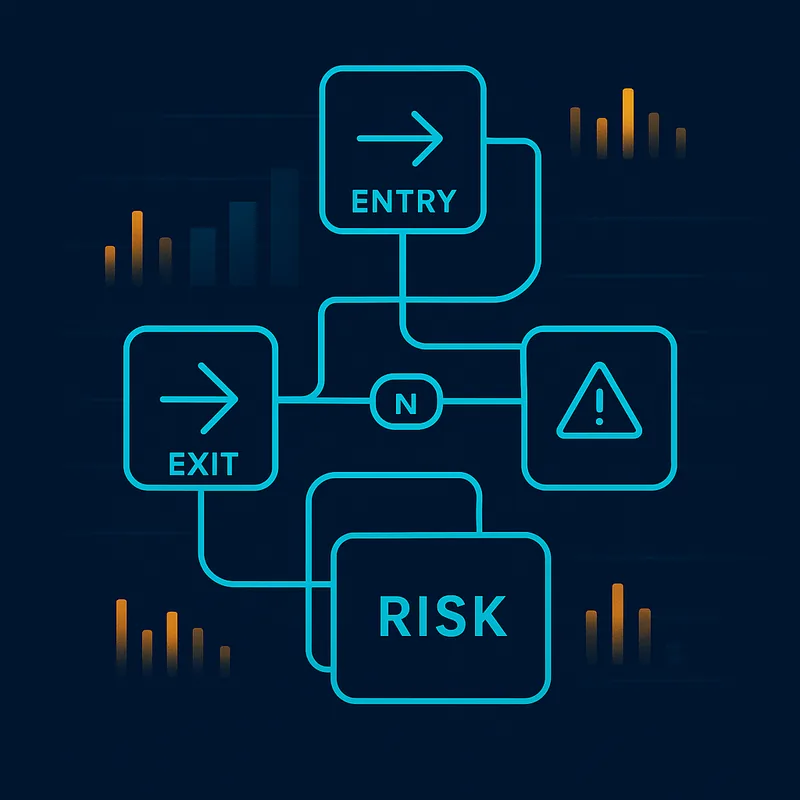
This is the category most underrepresented in standard trading software roundups, and the most relevant for traders who want automated trading bots without writing code. A no-code strategy builder lets you define entry conditions, exit rules, and risk parameters through a visual interface — connecting indicators and logic blocks rather than typing functions.
The critical differentiator is transparency: you can see your strategy's logic structure and, in the best implementations, see exactly where those rules trigger on the chart. This makes iteration fast and debugging intuitive.
Charting and Technical Analysis Tools
Platforms like TradingView sit primarily in this category — powerful for analysis and indicator overlays, with some strategy scripting capability (Pine Script), but not built around full automation workflows. They're valuable as a research and signal-identification layer, often used alongside a separate execution platform.
Key Features to Look For in Trading Software
Strategy Construction and Condition Logic
A capable condition builder lets you define entry and exit rules using indicators, price levels, volume thresholds, and crossover signals — and combine them with AND/OR logic. The more sophisticated platforms support nested logic: "trigger entry if RSI crosses above 30 AND price is above the 200 EMA AND volume exceeds the 20-period average."
Evaluate whether the platform supports the indicators you actually use, and whether complex conditions require code or can be assembled visually. A no-code interface dramatically reduces the time between having a strategy idea and testing it.
Visual Debugging and Chart Transparency
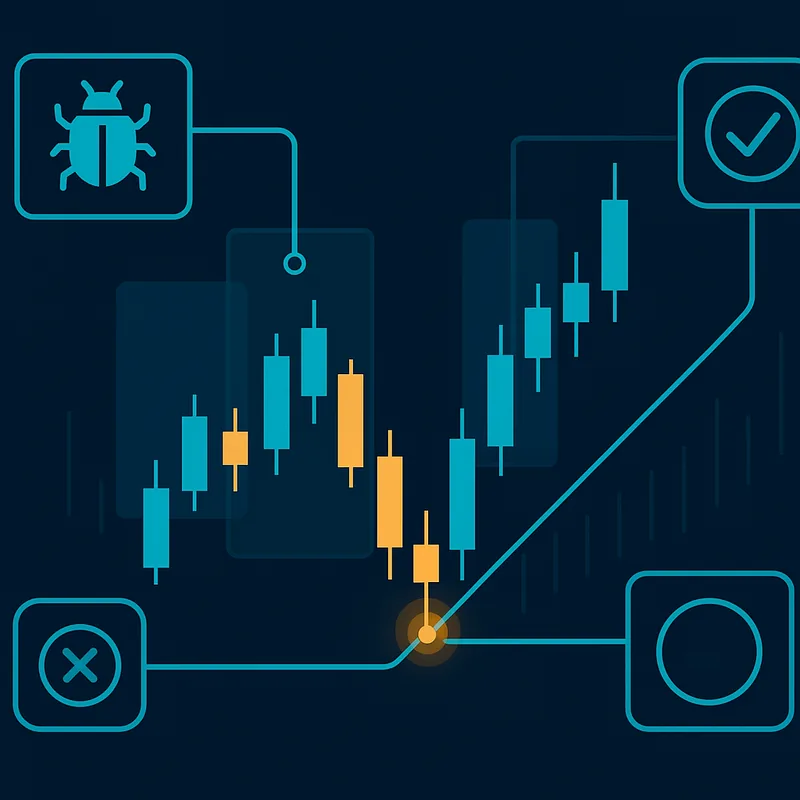
This is the feature most platforms skip, and it's the one that builds the most confidence before going live. A visual debugger highlights on the chart exactly where each condition in your strategy triggered — which candle fired the entry signal, where the exit rule activated, where a stop-loss would have been hit.
Without this, you're trusting a black box. With it, you can audit your own logic and catch errors that would only surface as losses in live trading. Transparency into when and why rules trigger is a trust signal, not a luxury.
Backtesting Capabilities
Backtesting — running your strategy against historical price data to see how it would have performed — is non-negotiable before deploying any automated strategy. A solid backtesting engine should show you trade-by-trade results, not just a summary P&L. You need to see which entry conditions fired, which exits were hit, and where the logic broke down.
Look for platforms that let you backtest within the same environment where you built the strategy, so results are tied directly to the visual logic you constructed.
Risk Management Controls
Stop-loss configuration, position sizing rules, and maximum drawdown limits should be first-class features, not afterthoughts. Risk management controls define the floor on what can go wrong. Evaluate whether the platform lets you set stop-losses as a fixed price, a percentage, or a dynamic indicator-based level — and whether those rules are visible in the same interface as your entry logic.
Order execution reliability matters here too: a strategy with perfect logic fails if the platform can't execute orders consistently at the right price.
Best Trading Software for Beginners
For a trader without a programming background, the most accessible entry point into automated trading is a no-code strategy builder with a drag-and-drop interface. The reason is simple: you can focus entirely on your trading logic rather than on syntax, libraries, or debugging code.
What makes a platform genuinely beginner-friendly isn't just a clean UI — it's visual rule triggers on the chart. When you can see exactly which candle triggered your entry condition and where your exit fired, you understand your own strategy. That understanding is what lets you iterate quickly: adjust a condition, re-run the backtest, compare results. No programming knowledge required.
Ease of iteration is underrated as a beginner feature. The faster you can modify a rule and see the result, the faster you learn what actually works in your chosen market. Platforms that bury logic in parameter fields or require recompiling code after every change slow that learning loop dramatically.
Quberas is built specifically for this workflow — a visual, no-code platform where you construct strategy logic through a drag-and-drop deal map, see rule triggers directly on the chart, and move from idea to backtest without touching code. It's a concrete example of beginner-friendly automation done without sacrificing logic depth.
How to Automate a Trading Strategy Without Coding
The workflow for turning a manual trading idea into a running automated strategy has four practical steps.
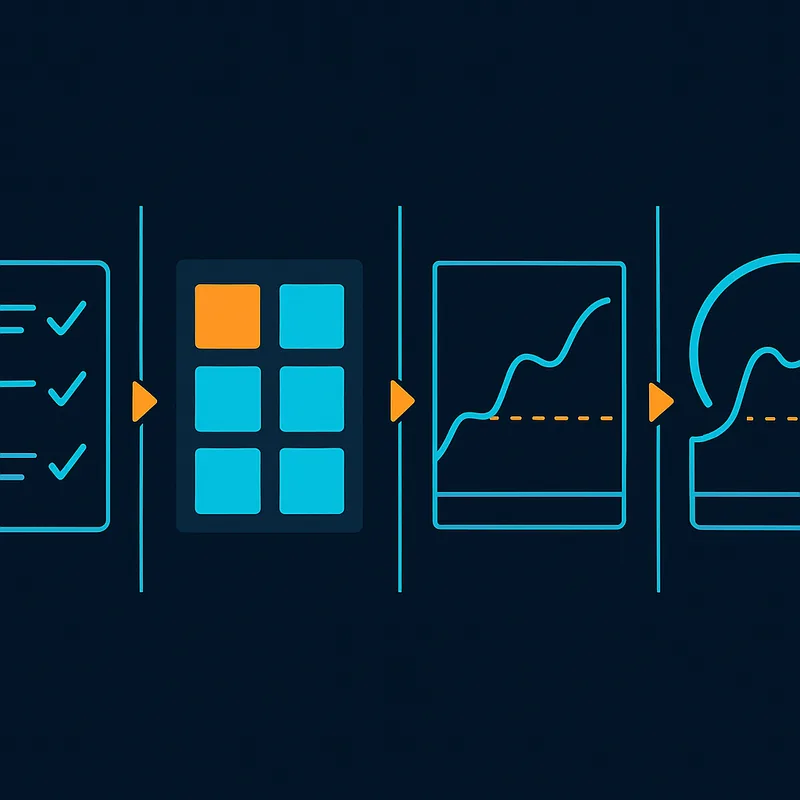
Step 1 — Define Your Entry and Exit Conditions
Start with the rules you already trade manually. What has to be true for you to enter a position? Common entry conditions use indicators: RSI below a threshold, a moving average crossover, price breaking above a resistance level with above-average volume. Write these out in plain language before touching any platform.
Do the same for exit rules: take-profit targets, trailing stops, indicator reversals. Define your stop-loss logic — fixed percentage, ATR-based, or a specific price level. The more precisely you can articulate these rules in words, the easier they are to build visually.
Step 2 — Build the Logic Visually
In a no-code platform, you assemble these conditions using a visual condition builder. Connect indicators — price-based, volume indicators, crossover signals — into a logic structure that reflects your written rules. Nested AND/OR conditions let you build specificity without complexity: the interface handles the structure, you handle the trading logic.
A deal map or drag-and-drop strategy interface lets you see the full shape of your strategy — entry block, averaging orders if applicable, exit block, stop-loss — as a connected visual flow rather than a wall of parameters.
Step 3 — Review Rule Triggers on the Chart
Before backtesting, use the platform's visual debugger to step through recent price history and confirm your conditions trigger where you expect. If your entry condition is supposed to fire on a specific RSI crossover, you should be able to see that highlighted on the chart. This step catches logic errors — mismatched indicator periods, inverted conditions, overlapping rules — before they become losses.
Consistency vs. manual trading is the core argument for automation: a rule-based system executes the same logic every time, without hesitation, fatigue, or emotional override. But that consistency only helps if the logic is correct. The visual review step is where you verify it.
Step 4 — Go Live with Your Automated Strategy
Once backtesting confirms the logic performs as expected across historical data, you connect the strategy to your exchange or broker and launch the automated bot. Rule-based execution takes over: the platform monitors conditions continuously and places orders when your defined criteria are met, without requiring you to watch the screen.
Backtesting Your Trading Strategy
Backtesting is the process of running a trading strategy against historical market data to evaluate how it would have performed. It's the critical step between building a strategy and deploying it with real capital.
The purpose isn't to find a strategy that looks perfect in hindsight — it's strategy validation: confirming that your logic behaves as intended, identifying weaknesses in your entry and exit rules, and understanding the realistic range of outcomes before you're exposed to live market risk.
A good backtest surfaces specific failure points. Maybe your entry condition fires correctly but your stop-loss is too tight, causing frequent early exits before the trade plays out. Maybe the strategy performs well in trending markets but breaks down in ranging conditions. These are findings you want from historical data, not from live trading.
Visual backtest results — where you can see each trade plotted on the chart alongside the conditions that triggered it — make this analysis far more actionable than a summary statistics table. When you can see why a trade was entered and where it exited, you can make targeted adjustments to the logic rather than guessing.
Reducing risk before live deployment is the practical outcome. Backtesting within a no-code platform means the same visual interface you used to build the strategy is the one showing you the results — no translation layer between your logic and your analysis.
How to Choose the Right Trading Software for Your Goals
The right platform depends on your trading profile, your market, and how much transparency you need into your own strategy logic.
Trader profile matching is the starting point. If you're a developer comfortable with Python, an open-source framework gives you maximum flexibility. If you're a discretionary trader moving toward automation without a coding background, a no-code visual builder is the practical choice — not a compromise, but the tool actually designed for your workflow.
Market context matters: forex trading software often emphasizes 24-hour execution and currency pair-specific features; crypto platforms prioritize exchange API connectivity and fast order routing; equities platforms lean on broker integration and regulatory compliance. Confirm the platform supports your specific market before evaluating anything else.
Risk management needs should be a hard filter. Any platform that doesn't give you clear, configurable stop-loss and position sizing controls is a platform that's treating risk as optional. It isn't.
The most important selection criterion — and the one most often overlooked — is transparency and logic-visibility. Can you see exactly what your strategy will do before it does it? Can you audit why a trade was entered or exited? Platforms that bury logic in opaque parameters or require you to trust a black box make it impossible to improve your strategy systematically.
Algorithmic trading accessibility has expanded significantly. The gap between "you need to code" and "anyone can automate" has closed, but only on platforms specifically built to close it. If a platform's automation features require scripting knowledge to use meaningfully, it's a developer tool wearing a beginner-friendly label — not the same thing as a genuine no-code builder.
For traders who want to own their strategy logic, see it clearly, and iterate without a development environment, the no-code visual builder category is where to start.
Try Quberas free — build your first automated strategy visually, backtest it against real historical data, and see exactly where your rules trigger on the chart before you go live.