Best Day Trading Platform for Beginners | Quberas
Choosing the best day trading platform for beginners comes down to two things most comparison guides never separate: the broker that executes your trades, and the strategy layer where you define when to trade. Get both right and you have a repeatable, testable system. Get only one and you're still guessing. This guide covers both — from evaluating brokers like Interactive Brokers, Webull, and thinkorswim to building and automating a rule-based strategy visually, without writing a single line of code.
What Is a Day Trading Platform — and What Does It Actually Need to Do?
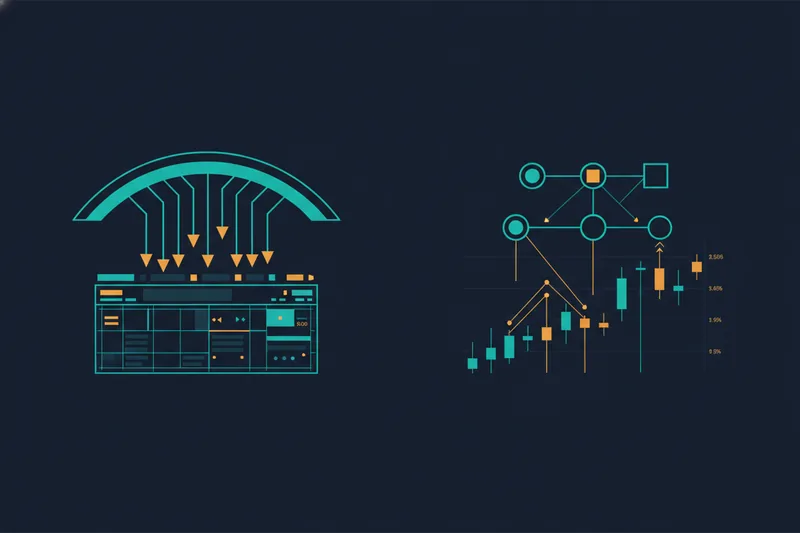
A day trading platform is the software environment where you analyze markets, place orders, and manage positions — typically opening and closing trades within the same session. But that definition hides an important split that trips up most beginners.
The brokerage layer: execution, fees, and account access
The broker is the regulated entity that connects you to the market. It holds your capital, routes your orders to exchanges, and settles your trades. When most people search for a "day trading platform," they're really asking about this layer — which broker to open an account with.
Key brokerage concerns include:
- Order execution — how fast and reliably your buy or sell order reaches the market
- Commission and fees — per-trade costs, platform fees, and any hidden charges that erode profit on high-frequency activity
- Account access — minimum deposits, margin availability, and which asset classes (stocks, crypto, forex, futures) you can trade
- Paper trading — a simulated trading mode that lets you practice with real market data but no real money at risk
The strategy layer: charting, analysis, and rule-building
The second layer is where most beginners have a gap. Charting tools let you apply technical indicators — moving averages, RSI, volume — to price history and identify patterns. But charting alone is passive. The strategy layer goes further: it's where you define the rules that govern when you enter, when you exit, and how you manage risk.
Many brokers offer basic charting. Fewer offer a structured way to build, test, and automate a rule-based strategy — and most require coding to do it properly. Conflating these two layers leads traders to pick a broker based on its charting UI, then discover they still have no systematic way to execute consistently.
Key Features to Look for in a Day Trading Platform
Evaluating platforms gets easier when you know exactly what to measure. Here's what actually matters for an active beginner.
Execution speed and order types
Execution speed — the time between placing an order and it being filled — matters most in volatile markets. Look for platforms that support limit orders, stop orders, and stop-limit orders at minimum. A platform that only offers market orders gives you less control over your entry price, which compounds into real losses over many trades.
Charting and technical indicator depth
Good charting tools should include a library of standard technical indicators (MACD, Bollinger Bands, RSI, volume-based indicators) and let you overlay multiple timeframes. For beginners, the ability to see where a signal fires on a historical chart is more valuable than having hundreds of exotic indicators.
Paper trading: why testing before going live matters
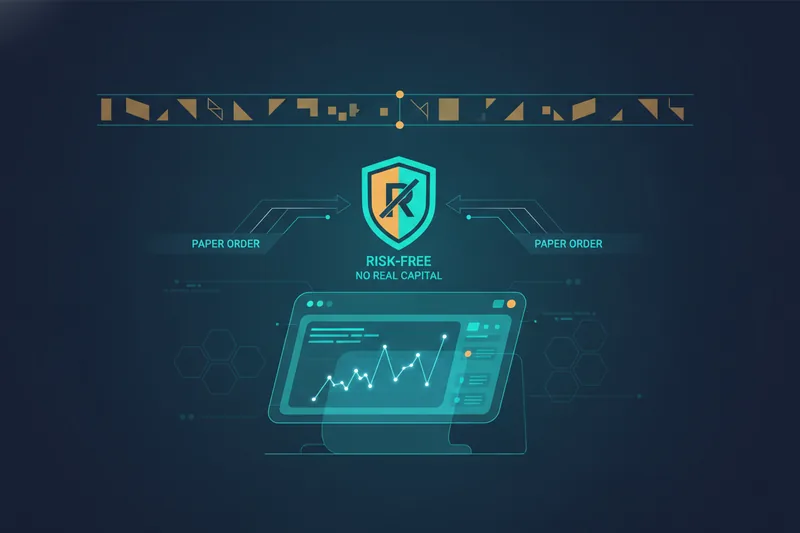
Paper trading (also called demo or simulated trading) lets you execute trades against live or near-live market data without risking real capital. For beginners, this is non-negotiable. It reveals whether your instincts — or your rules — actually produce results before you put money on the line. Not every platform offers it; prioritize those that do.
Fees, commissions, and hidden costs
Commission-free doesn't always mean free. Watch for:
- Payment for order flow (PFOF), which can affect fill quality
- Platform or data subscription fees
- Inactivity fees
- Margin interest rates if you use leverage
For traders making multiple trades per day, even small per-trade costs compound quickly. Run the math on your expected trade frequency before committing to a platform.
Backtesting and strategy automation support
Backtesting means running your trading rules against historical price data to see how they would have performed. It's one of the most important tools a beginner can use — and one of the most commonly missing from standard broker platforms. If a platform doesn't support backtesting, you're validating your strategy with real money instead of historical data. That's an expensive way to learn.
Automated trading strategy support — the ability to define rules and have the platform execute them without manual intervention — is the next step up. Most broker platforms require coding or scripting to reach full automation.
Best Day Trading Platforms for Beginners in 2025
These three platforms appear consistently in beginner comparisons for good reason. Each has a distinct profile.
Webull: commission-free with solid charting for new traders
Webull is known for low-cost trading and a charting suite that punches above its price point. It includes paper trading and a mobile app that's genuinely usable for active trading — not just portfolio monitoring. Check Webull's current fee schedule, supported instruments, and data terms directly, as these details can change.
Its weaknesses: the desktop platform is less powerful than professional-grade tools, and automation support is limited. Webull suits beginners who want to start trading manually with minimal cost friction and a clean interface.
thinkorswim: powerful tools with a learning curve
thinkorswim is one of the most feature-rich platforms available to retail traders. It includes advanced charting, a wide indicator library, paper trading with full functionality, and scripting tools (thinkScript) for custom indicators and basic strategy testing. Verify current ownership, fee structure, and feature availability directly with the platform before opening an account.
The tradeoff is complexity. The interface is dense, and getting value from its advanced features takes time to learn. It's best suited to beginners who are willing to invest in the learning curve and want professional-grade charting from day one.
Interactive Brokers: low cost, broad access, built for active traders
Interactive Brokers (IBKR) is built for cost-conscious, high-volume traders. Its tiered pricing model can bring per-trade costs very low for active traders, and it provides access to a wide range of markets across multiple asset classes. Check IBKR's current pricing tiers and available markets on their site, as these details are subject to change.
The interface (Trader Workstation) is not beginner-friendly. Paper trading is available via a separate simulated account. IBKR suits beginners who are serious about keeping costs low and eventually trading across multiple asset classes, but who are prepared for a steeper onboarding experience.
Quick comparison: fees, paper trading, and automation support at a glance
| Platform | Commission Model | Paper Trading | Automation Support |
|---|---|---|---|
| Webull | Low-cost / check current rates | Yes | Limited |
| thinkorswim | Check current rates | Yes | Basic (thinkScript) |
| Interactive Brokers | Tiered pricing / check current rates | Yes (separate account) | API-based (requires code) |
One important note: all three platforms stop at manual or semi-manual execution. Building and running a fully automated, rule-based strategy — one that monitors conditions and places orders without you watching the screen — requires a separate strategy layer. That's not a criticism; it's a structural reality of how broker platforms are built.
Can You Make Consistent Money Day Trading as a Beginner?
Honestly? Most beginners don't — at least not right away. Studies of retail trading accounts consistently show that the majority of active day traders underperform a simple buy-and-hold approach over time, with a meaningful percentage losing money outright. That's not a reason to stop, but it is a reason to understand why.
Why discretionary day trading is hard to scale
Discretionary trading — making buy and sell decisions in real time based on judgment — is difficult to make consistent because it depends on the trader's mental state, attention, and discipline in every single session. A rule that worked yesterday gets abandoned under pressure today. Losses trigger emotional responses that distort the next decision. There's no feedback loop that separates a good process from a lucky outcome.
The result: most beginners cycle through strategies without ever knowing whether the strategy failed or whether their execution of it failed.
How rule-based strategies change the consistency equation
Rule-based trading defines entry and exit conditions in advance — specific, testable criteria that the strategy follows regardless of how you feel in the moment. The key advantage isn't that rules are smarter than judgment; it's that rules are auditable. You can run them against historical data, measure their performance, identify where they break down, and refine them before risking capital.
No-code algorithmic trading makes this accessible to traders who aren't programmers. Instead of writing code to express your rules, you define them visually — and then backtest them against real historical data to see whether they hold up. That's a fundamentally different starting point than opening a brokerage account and trading on instinct.
The Missing Layer: Automating Your Day Trading Strategy Without Code
After choosing a broker, many beginners hit a wall: they have a platform, they have capital, but they have no systematic way to define and execute their strategy. This is the gap that no-code algorithmic trading fills.
What a visual, no-code strategy builder actually does
A visual strategy builder lets you express trading logic — "enter when RSI crosses below 30 and price is above the 50-period moving average" — as a structured set of conditions, without writing a single line of code. You connect logical blocks, set thresholds, and see exactly where those conditions would have triggered on a historical chart.
This is categorically different from a broker's charting tools. Charting shows you what happened. A strategy builder lets you define rules, test them, and automate their execution.
Drag-and-drop logic: entries, exits, and stop-losses without writing code
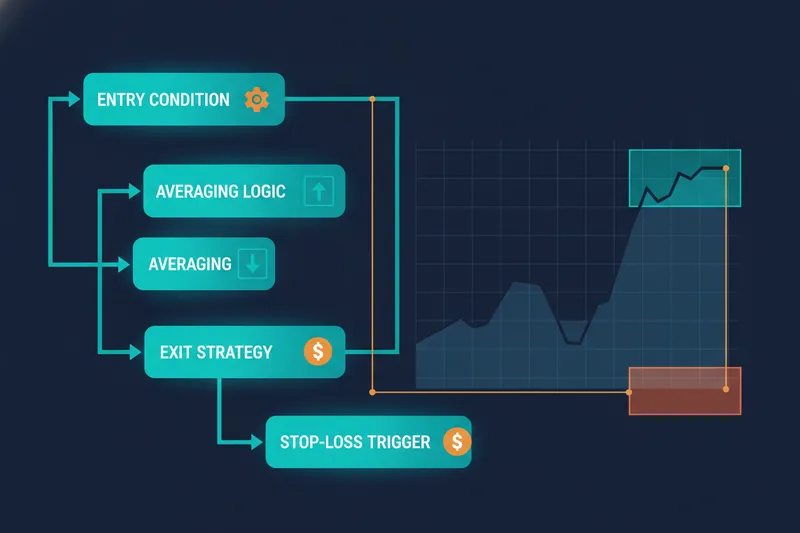
The best drag-and-drop trading platforms for beginners use a visual interface where you assemble strategy components the way you'd build a flowchart. A typical workflow covers:
- Entry conditions — the specific indicator or price criteria that open a position
- Averaging orders — optional rules for adding to a position at defined intervals or price levels
- Exit conditions — the criteria that close a position in profit
- Stop-loss rules — the hard limits that cap downside on any single trade
In a well-designed visual builder, these stages are connected in a deal map — a visual representation of the full strategy lifecycle. You can see at a glance how a trade moves from entry to exit, and where each rule sits in the sequence. A condition builder handles the logic inside each stage: price crossovers, indicator thresholds, volume conditions, and nested logic combining multiple criteria.
How Quberas connects to your broker and executes rules automatically
Quberas is a no-code visual strategy builder designed specifically for this layer. You build your strategy as a deal map — defining entry, averaging, exit, and stop-loss logic through a drag-and-drop interface — and the platform shows you exactly where each condition triggers on the chart. Once you've validated the logic, Quberas connects to your broker and executes the rules automatically, without you needing to monitor the screen or write code.
For beginners looking for the best drag-and-drop day trading platform, this separation of concerns — broker for execution, Quberas for strategy logic — is worth understanding. You're not replacing your broker; you're adding the systematic layer that brokers don't provide on their own.
Build, Backtest, and Launch: The Workflow That Replaces Guesswork
A systematic trading workflow has three stages. Each one reduces the role of guesswork before you risk real capital.
Step 1 — Build: define your rules as a visual deal map
Start by translating your trading idea into explicit conditions. What price or indicator state triggers an entry? What closes the trade? What's the maximum loss you'll accept? In a visual builder, you assemble these as connected blocks in a deal map — making the strategy's structure visible and editable without touching code.
The condition builder handles complex logic: you can combine multiple indicators, set crossover conditions, filter by volume, and nest conditions with AND/OR logic. If a condition is ambiguous or contradictory, you can see it in the structure before it costs you a trade.
Step 2 — Backtest: validate on historical data before risking capital
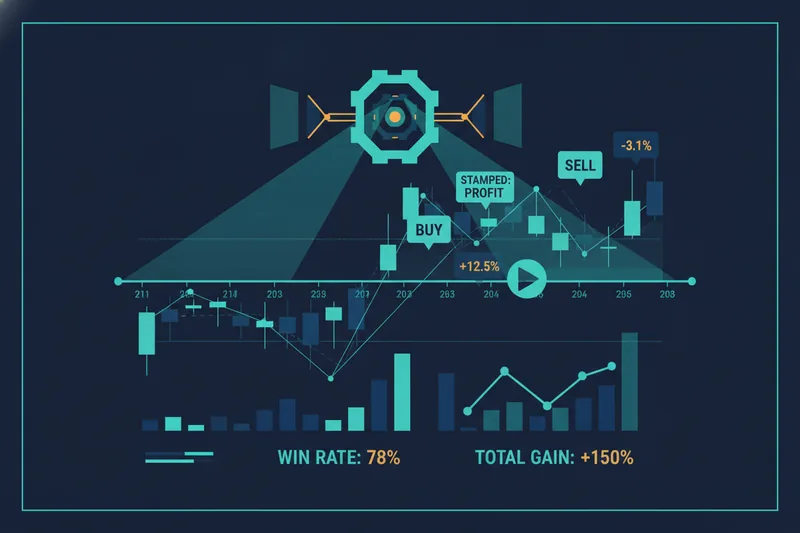
Backtesting runs your completed strategy against historical price data — including OHLCV (Open, High, Low, Close, Volume) candle data as well as more granular bid/ask and order-book-derived data — to show how it would have performed. This is where you find out whether your rules actually capture the patterns you think they do, or whether they generate too many false signals.
A visual debugger takes this further: instead of just showing aggregate performance statistics, it highlights the exact chart zones where each condition triggered — or nearly triggered. This lets you see why a trade fired, not just that it fired. You can identify threshold settings that are too sensitive (triggering on noise) or too conservative (missing valid setups), and adjust them before going live.
This is also where the distinction between paper trading and backtesting matters. Paper trading tests your strategy in real time, going forward. Backtesting tests it against historical data in minutes. Both are valuable; backtesting gives you much faster feedback on whether the logic is sound.
Step 3 — Launch: go live with confidence after testing
After backtesting validates the strategy's logic, you can launch it live — connected to your broker, executing automatically against real market conditions. If you'd rather start with less risk, a strategy marketplace of ready-made strategies lets you select a pre-built approach, review its logic, set your risk parameters, and go live without building from scratch.
The workflow — build, backtest, launch — replaces the cycle of manual trading, emotional decisions, and unclear feedback that keeps most beginners stuck.
How to Choose the Right Day Trading Platform for Your Style
No single platform is right for every trader. Here's a practical decision framework.
If you're just starting out: prioritize paper trading and low fees
If you're new to active trading, your first priority is learning without losing capital unnecessarily. That means:
- Paper trading availability — practice with real market data before committing real money
- Low or zero commissions — keep costs from compounding against you while you learn
- Asset class fit — pick a platform that covers what you want to trade (stocks, crypto, forex) rather than the one with the most features overall
- Ease of use — a clean interface reduces the cognitive load while you're still learning market mechanics
For most beginners in this stage, Webull or thinkorswim are reasonable starting points. Budget-sensitive traders who want broad market access should look at Interactive Brokers despite its steeper learning curve.
If you're ready to systematize: add a no-code strategy layer
Once you've developed a trading approach — even a simple one — and you're ready to make it consistent and testable, a broker alone isn't enough. This is when a no-code strategy builder adds real value:
- You have rules you want to follow but find yourself second-guessing in the moment
- You want to backtest whether your approach actually works before scaling it
- You're trading frequently enough that manual execution is a bottleneck
- You want to run a strategy overnight or during hours you can't monitor the market
At this stage, the combination of a low-cost broker (for execution) and a visual strategy builder (for logic, testing, and automation) gives you a complete system — one that's transparent, auditable, and not dependent on your attention every minute of the session.
Frequently Asked Questions About Day Trading Platforms
What is the best free day trading platform?
Webull and thinkorswim both offer low-cost or commission-free tiers on certain instruments, with paper trading included at no cost. Interactive Brokers offers a lower-cost tier for U.S. users. "Free" varies by asset class and account type — always verify current fee schedules and whether real-time data requires a subscription directly with each platform.
Can I day trade with $100?
Technically yes, but with significant constraints. In the U.S., the Pattern Day Trader (PDT) rule requires a minimum of $25,000 in certain account types to make more than three day trades in a rolling five-day period. Requirements vary by account type, asset class, and broker — check with your specific broker to understand what applies to your situation. Starting with a small amount is fine for learning, but be realistic about what's achievable at that scale.
What is paper trading and why should beginners use it?
Paper trading is simulated trading using real market data but no real money. It lets you test your strategy, practice order execution, and build familiarity with a platform's interface without financial risk. Beginners should use it to validate that their rules work as intended before going live — and to separate platform-learning from actual trading decisions.
Is drag-and-drop algorithmic trading legitimate?
Yes. Visual, no-code strategy builders are a legitimate category of trading software used by retail and semi-professional traders. They don't change how markets work or guarantee profits — they make it easier to define, test, and execute rule-based strategies without programming. The underlying logic (indicators, conditions, order types) is the same whether you write it in code or assemble it visually.
Do I need to know how to code to automate a trading strategy?
No. No-code algorithmic trading platforms let you define strategy logic through visual interfaces — connecting conditions, setting thresholds, and building entry/exit rules without writing code. The automation runs the same way as a coded strategy; the difference is in how the rules are expressed. If you can describe your trading rules in plain language, you can build them in a visual strategy builder.
Ready to move beyond manual day trading? Build your first automated strategy visually in Quberas — no code required. Start with a free account and see your rules trigger live on the chart before you risk a single dollar.