Best Forex Trading Platforms for Automated Strategies
The best forex trading platforms for 2025 aren't just the ones with the tightest spreads or the slickest mobile app — they're the ones that also let you turn a manual strategy into a rule-based, backtested system. This guide ranks regulated forex brokers on the standard criteria (regulation, cost, tools, demo access) and then goes a step further: it shows which platforms and no-code builders actually support algorithmic trading, so you can pair a broker's execution with a transparent, testable strategy layer instead of guessing whether your rules would have worked.
What Is a Forex Trading Platform?
A forex trading platform is the software you use to place currency trades, see live prices, and manage open positions. At minimum it handles execution — routing your buy/sell orders to the market or to your broker's liquidity — and provides charting tools for reading price action and applying indicators.

It's worth separating two things that get bundled together in most reviews. Broker execution platforms (the trading terminal your broker gives you, or MetaTrader connected to your account) handle order routing, margin, and account management. Charting and strategy-building tools sit on top of that layer — they're where you analyze price, define rules, and in some cases automate decisions before those decisions ever touch your live account. Day-trading software in general breaks down into three functional pieces: the execution platform itself, the market data feed behind it, and a separate layer for analytics or reviewing performance. Understanding that split matters here, because "best platform" questions usually only address the first piece.
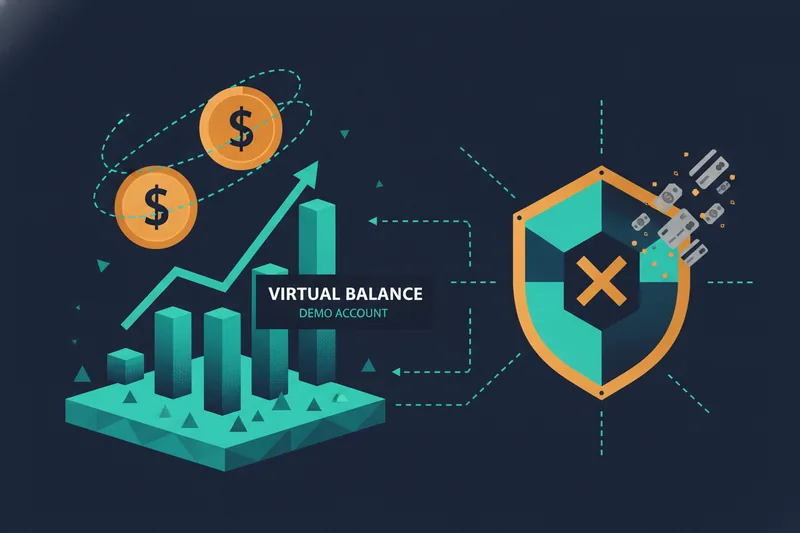
Before committing real money, almost every serious platform offers a demo account — a simulated trading environment funded with virtual balance, using live or near-live prices, so you can test order execution and strategy logic without risk. Any platform worth considering should also be regulated: in the US, that means registration with the NFA (National Futures Association) and oversight by the CFTC (Commodity Futures Trading Commission), the bodies that license forex brokers and enforce capital and conduct requirements.
How We Chose the Best Forex Trading Platforms
Every platform below was evaluated against the same five criteria, so the rankings later in this article don't need re-explaining:
- Regulation and safety — NFA/CFTC registration for US-facing brokers, segregation of client funds, and a clean compliance history.
- Spreads and fees — typical spread on major pairs like EUR/USD, plus commissions, overnight financing, and account minimums.
- Platform tools — availability of MetaTrader 4/5, TradingView charting, or a proprietary terminal, and how deep the charting and order-type support goes.
- Demo account access — whether you can test strategies risk-free before funding a live account.
- Support for algorithmic and automated trading — the criterion most listicles skip. This covers API access, Expert Advisor (EA) or script support, and whether the platform's data feed is granular enough for meaningful backtesting.
That last point is the lens this article adds. A platform can score well on spreads and still be a poor fit if you want to move from discretionary trading toward rule-based, backtested execution.
Best Forex Trading Platforms Overall
OANDA
OANDA is NFA/CFTC-regulated in the US and known for transparent, no-minimum-deposit accounts with fractional pip pricing. Spreads on majors are variable and competitive, and the platform supports MetaTrader 4 alongside its own web and API-based terminal — the API access is what makes it usable for traders who want to connect external automation.
tastyfx
tastyfx is the forex arm of tastytrade and offers spread-based pricing on major and minor currency pairs, integrated into the same account structure as tastytrade's options and futures tools. That makes it a reasonable pick if you already trade those instruments and want forex execution under one login. Its automation and API surface is narrower than OANDA's, so before funding an account, confirm its current regulatory status and compare its actual spread and fee schedule directly on its site rather than assuming pricing parity with competitors — cost structures and regulatory registrations vary and are worth verifying broker-by-broker.
FOREX.com
FOREX.com pairs NFA/CFTC regulation with support for MetaTrader 4, MetaTrader 5, and TradingView charting inside one account — a combination few US brokers offer together. Spreads and fees vary by account tier (standard vs. commission-based), so it's worth comparing the raw spread against the commission model before assuming the "commission-free" tier is cheaper.
Interactive Brokers
Interactive Brokers targets a more active or semi-professional audience. Its forex spreads are typically tighter than retail-focused brokers, but the tiered commission structure and more complex account setup make it less beginner-friendly. Its strength for this guide's purposes is API depth — IBKR's API is one of the more capable options for traders building custom or semi-automated execution on top of the platform.
Best Forex Platforms for Beginners
"Best for beginners" usually just means a simple interface. That's an incomplete standard. A platform is genuinely beginner-friendly when it also lets a new trader learn without paying tuition in losses — which means a solid demo account, and increasingly, some path toward rule-based, automated trading instead of manual discretion learned by trial and error.
OANDA and FOREX.com both offer generous demo periods with live pricing, which matters more than interface polish for someone still learning how spreads and margin actually behave. But there's a second dimension worth adding to the "beginner" conversation: a trader who struggles with discretionary discipline — closing winners too early, moving stop-losses, chasing entries — often does better defining rules once, visually, in a no-code strategy builder, and then letting the system execute them consistently. That's a different kind of beginner-friendliness than a clean mobile app, and it's one most comparison lists ignore entirely.
Best Platforms for Algorithmic and Automated Forex Trading
This is where broker choice and strategy-building tools need to be evaluated separately. A broker's job is execution, data feed, and regulation. Whether you can build, test, and refine a rule-based strategy is a different question, usually answered by a separate tool layered on top.
Among the brokers above, OANDA and Interactive Brokers offer the most usable APIs for connecting external strategy logic, and FOREX.com's MT4/MT5 support opens the door to Expert Advisors. But API access alone doesn't tell you whether a strategy is any good — that requires backtesting, and the quality of a backtest depends heavily on the data behind it.
Why backtesting depth matters (OHLCV vs. bid/ask and order-book data)
Backtesting means running your strategy's rules against historical price data to see how they would have performed before risking real capital. The most common historical dataset is OHLCV data — open, high, low, close, and volume for each period (each candle). It's sufficient for strategies based on price levels, moving averages, or basic crossovers.
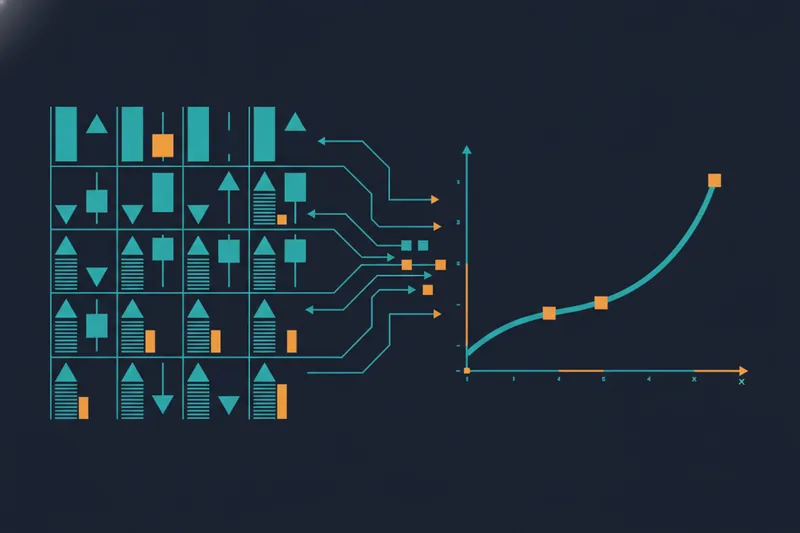
For strategies sensitive to execution quality — tight scalps, strategies near support/resistance, or anything where a few pips of slippage changes the outcome — OHLCV isn't granular enough. Order-book data, which captures actual bid/ask depth and where liquidity sat at a given moment, gives a more realistic picture of whether an entry would actually have filled at the assumed price. Scalping strategies in particular operate on very short timeframes, often 1-minute to 15-minute charts, where outcomes are shaped as much by spread and execution timing as by the underlying price move — which is exactly the case where OHLCV-only backtests can mislead you.
It's also worth remembering that backtesting is only the first checkpoint, not the last. Most trading practitioners treat backtesting and forward testing (running the strategy live on a demo account against real-time data) as two required stages a strategy needs to clear before it's trusted with real capital — neither one substitutes for the other.
How a no-code builder like Quberas fits alongside a broker platform
A broker platform executes trades. It generally isn't built to help you construct and visually validate a multi-stage strategy before it goes live. That's the gap a no-code strategy builder like Quberas is designed to fill, sitting alongside your broker rather than replacing it.
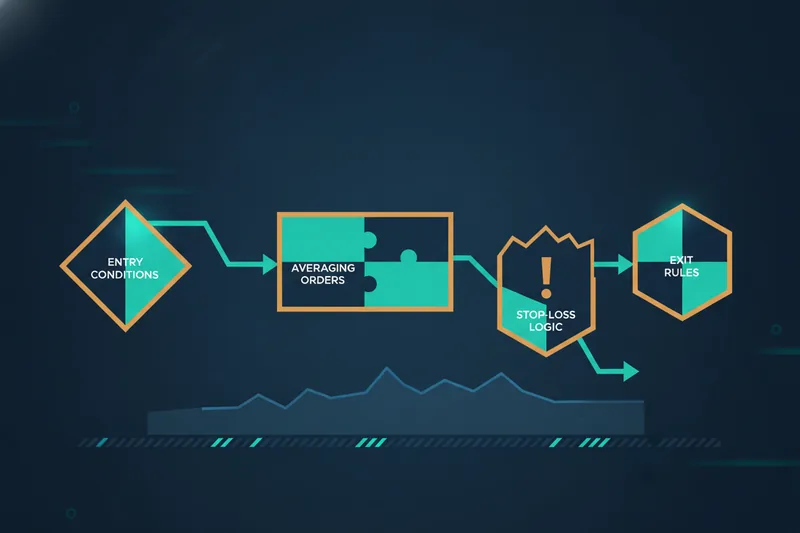
In Quberas, a strategy is built as a deal map — a visual layout of a trade's stages: entry conditions, any averaging orders, exit rules, and stop-loss logic, all connected so you can see the full lifecycle of a trade rather than a wall of parameters. Entry and exit logic is defined with a puzzle-style condition builder — dragging together price, indicator, volume, and crossover conditions into nested logic without writing code. Once a strategy is backtested, a visual debugger highlights the exact chart zones where each condition was true, near-true, or triggered, so you can see why a trade fired — or why it almost did and didn't — instead of digging through logs. That debugging step is what turns a backtest from a pass/fail number into something you can actually refine.
Trading Platforms and Tools Compared: MT4, MT5, TradingView, and No-Code Builders
MetaTrader 4 and MetaTrader 5 remain the default terminals for retail forex automation. Strategies are automated through Expert Advisors written in MQL4/MQL5 — genuinely powerful, but you're reading and debugging code to understand what your bot is actually doing. TradingView automates through Pine Script, which is more accessible for charting-savvy traders but still requires writing and troubleshooting scripts to encode conditional logic.
A no-code strategy builder takes a different approach: instead of writing conditions as code, you assemble them visually. In Quberas, that means a puzzle-style condition builder for the logic itself, arranged on a deal map for the trade's stages, with a visual debugger to confirm on the actual chart that a condition fired where and when you expected. The tradeoff is scope, not rigor — code-based platforms can express logic that's arbitrarily complex, while a no-code builder is optimized for the conditional, multi-stage logic (entries, averaging, exits, stops) that covers most retail forex and crypto strategies without needing a programming background. Not every automation tool in this space is no-code, either — plenty of strategy builders still rely on code-based approaches, often Python, to define and deploy rules, which is worth knowing if "no-code" is a hard requirement for you rather than a preference.
Regulation, Safety and Fees to Check Before You Trade
Regulation isn't a formality — it's the difference between a broker holding your funds under enforceable rules and one that isn't accountable to anyone if something goes wrong. In the US, confirm NFA membership and CFTC registration directly on their public registries before funding an account; don't take a broker's own claim at face value.
On fees, compare the full cost, not just the headline spread. A "0 pip" account often carries a per-lot commission that can exceed a wider all-in spread on a standard account, depending on your trade size and frequency. Ask specifically about:
- Typical spread on EUR/USD and other majors you'll trade.
- Commission per lot, if applicable.
- Overnight/swap financing rates for positions held past the daily rollover.
- Whether a demo account uses live pricing or delayed/simulated pricing — the two produce different results, and only live-priced demos give you a realistic read on execution.
If you plan to automate a strategy and eventually run it unattended, also factor in infrastructure: a strategy tested and refined on your own computer is fine, but running it live around the clock introduces failure modes — a dropped connection, a reboot, a power outage — that a home setup doesn't handle well. Dedicated forex VPS hosting exists specifically for this and starts as low as $2–$7 a month on entry-level plans, which is a modest cost relative to what an unattended outage could cost you mid-trade.
How to Choose the Right Forex Trading Platform for Your Strategy
The right platform depends on what you're actually trying to do: trade manually, semi-automate, or run a fully rule-based strategy. Manual and discretionary traders can stop at the regulation/spreads/tools comparison above. If you want automation, the decision extends one layer further — from broker to broker-plus-strategy-tool.
Step-by-step: from broker choice to a backtested automated strategy
- Pick a regulated broker that fits your execution needs. Confirm NFA/CFTC status, compare spreads and fees for your typical trade size, and check whether it supports MT4/MT5 or an API if you plan to automate.
- Open a demo account and trade manually first. Before automating anything, understand how your intended strategy behaves with live pricing and real spread conditions.
- Formalize your strategy's logic in a no-code builder. Translate your entry, averaging, exit, and stop-loss rules into a visual deal map rather than a mental checklist — this alone tends to surface inconsistencies in strategies that "worked" only because you improvised around them.
- Backtest against historical data, using OHLCV for straightforward setups and bid/ask or order-book-derived data if your edge depends on execution precision.
- Use a visual debugger to tune thresholds. Look specifically at conditions that almost triggered versus those that did — a threshold set too loosely produces noise-driven entries, and seeing the near-misses on the chart is usually faster than adjusting parameters blind.
- Apply risk controls before going live. At minimum, define a maximum risk per trade and a cap on total exposure across open positions. One commonly referenced framework, the 3-5-7 rule, sets 3% as the max risk on any single trade, 5% as total risk across all open positions, and a 7% minimum profit-to-loss ratio — useful as a starting benchmark even if your own numbers differ.
- Forward test on a demo account before committing capital, since backtesting and forward testing are treated as separate, both-required checkpoints rather than one substituting for the other.
If you're evaluating backtest results, a Sharpe ratio (return relative to volatility) above 1.0 is generally considered acceptable, above 2.0 good, and above 3.0 excellent — a useful sanity check before you assume a strategy with a high raw return is actually a good one.
Frequently Asked Questions
What are the best forex trading platforms overall? Among regulated US-facing brokers, OANDA, tastyfx, FOREX.com, and Interactive Brokers each score well on regulation, spreads, and tool availability, though they differ in API depth and account structure — see the comparison above for which fits your trade size and automation plans.
Which forex trading platforms are best for beginners? Platforms with generous, live-priced demo accounts (OANDA, FOREX.com) suit new traders learning execution mechanics. Beginners prone to discretionary mistakes may also benefit from defining rules once in a no-code strategy builder rather than relying on manual discipline.
Do forex trading platforms support algorithmic or automated trading? Broker platforms like MetaTrader 4/5 support automation through scripted Expert Advisors; API-capable brokers like OANDA and Interactive Brokers allow external automation. For building and backtesting the strategy logic itself without coding, traders typically add a separate no-code tool alongside their broker.
Can I test a strategy without risking real money? Yes — a demo account lets you trade with simulated funds against live or near-live pricing, and backtesting lets you validate a strategy's historical performance before any live or demo execution at all.
Is MetaTrader or a no-code builder better for automation? They serve different needs. MetaTrader (via MQL) and TradingView (via Pine Script) offer maximum flexibility for traders comfortable writing and debugging code. A no-code builder trades some of that flexibility for visual clarity — seeing conditions, deal stages, and debug results directly on the chart without programming.
Ready to move beyond manual forex trading? Build, backtest, and launch your own algorithmic strategy visually with Quberas — no coding required.